AI-Coding in CodeRoom
New in CodeRoom
AI-Coding for computer science class
CodeRoom helps learners to expand existing code in a targeted manner, understand errors, and implement their own ideas faster – directly in the familiar learning environment without switching to external AI tools.
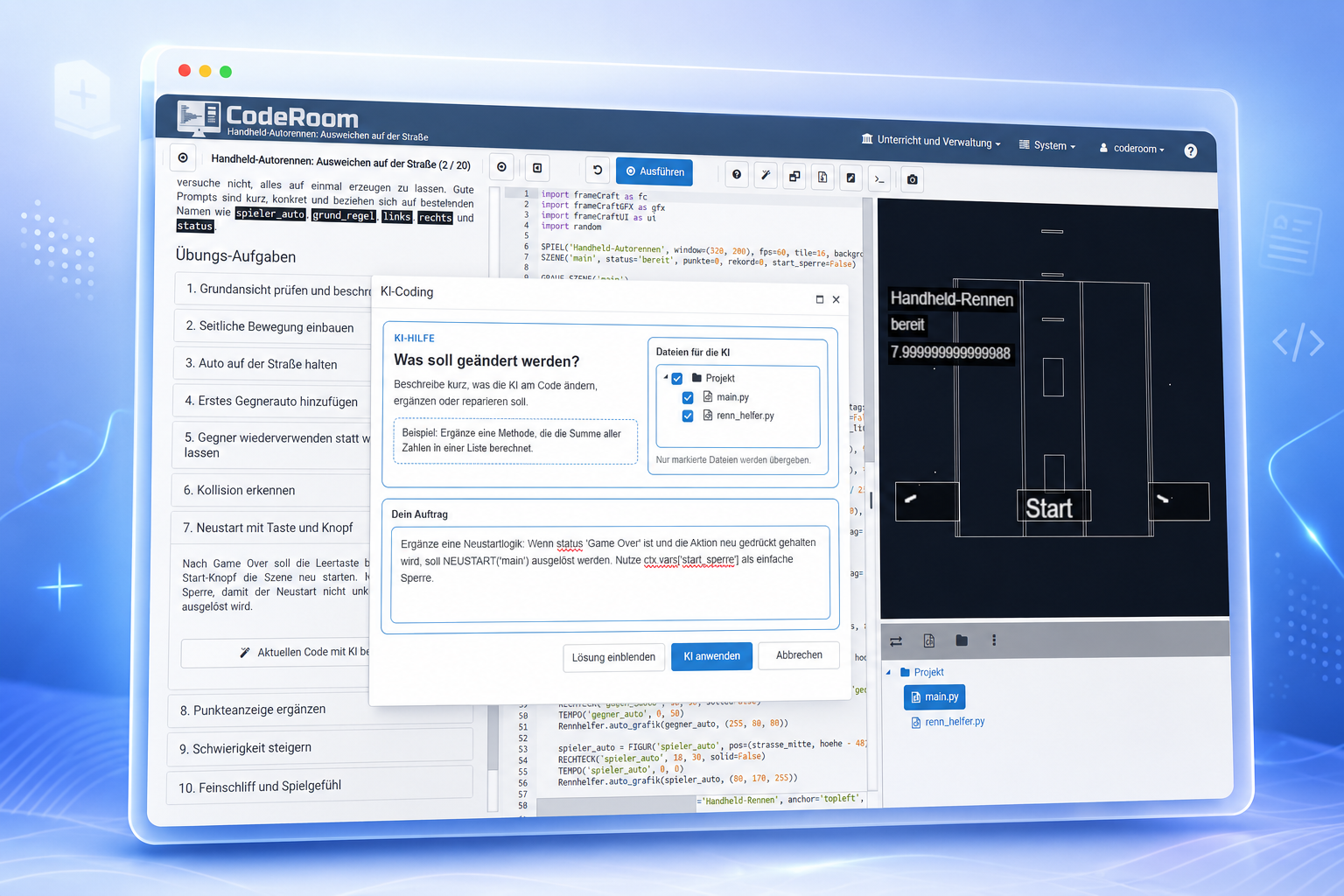
The central advantage
AI help exactly where code is being written
The AI support is not detached from the lesson, but works directly with the current code, task, and project context. This results in targeted changes instead of unclear complete solutions from an external chat.
Expand code
Learners can formulate their own ideas and the AI helps to implement suitable changes in the existing code.
Understand errors
The AI can explain typical programming errors and provide concrete hints without interrupting the lesson flow.
Continue working
Changes are applied directly in CodeRoom. Learners can then execute, test, and further improve the result.
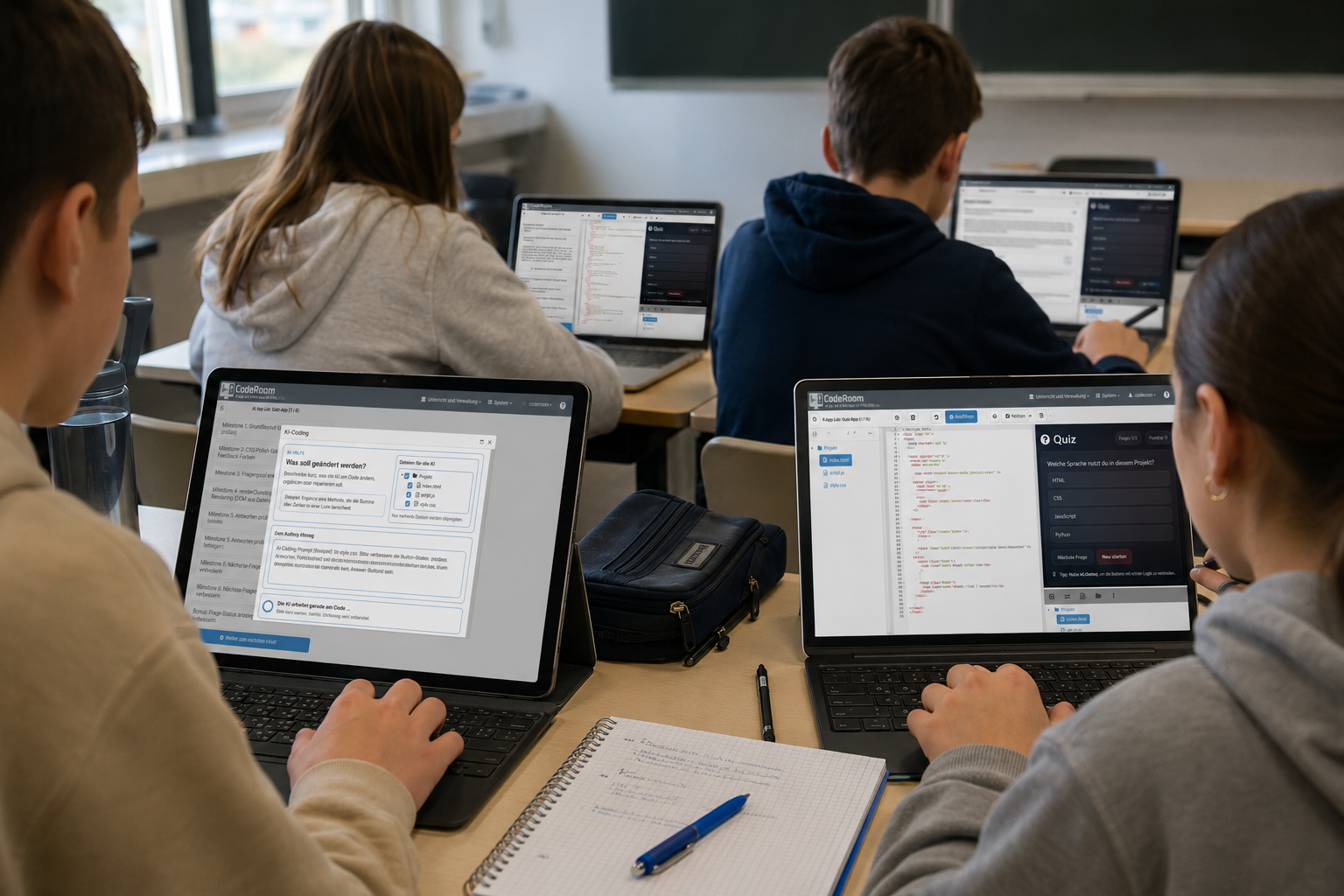
Didactically integrated
Not just ChatGPT next to it, but AI in learning context
When using classical external AI tools, learners often copy task assignments or code into a separate chat. Context, control, and traceability are quickly lost in the process.
CodeRoom AI-Coding remains within the learning environment. The AI is aware of the current working status and supports learners with targeted next steps.
- Task assignment, code, and results remain in one environment
- AI assistance becomes visible as part of the work process
- Teachers maintain a better view of the school framework
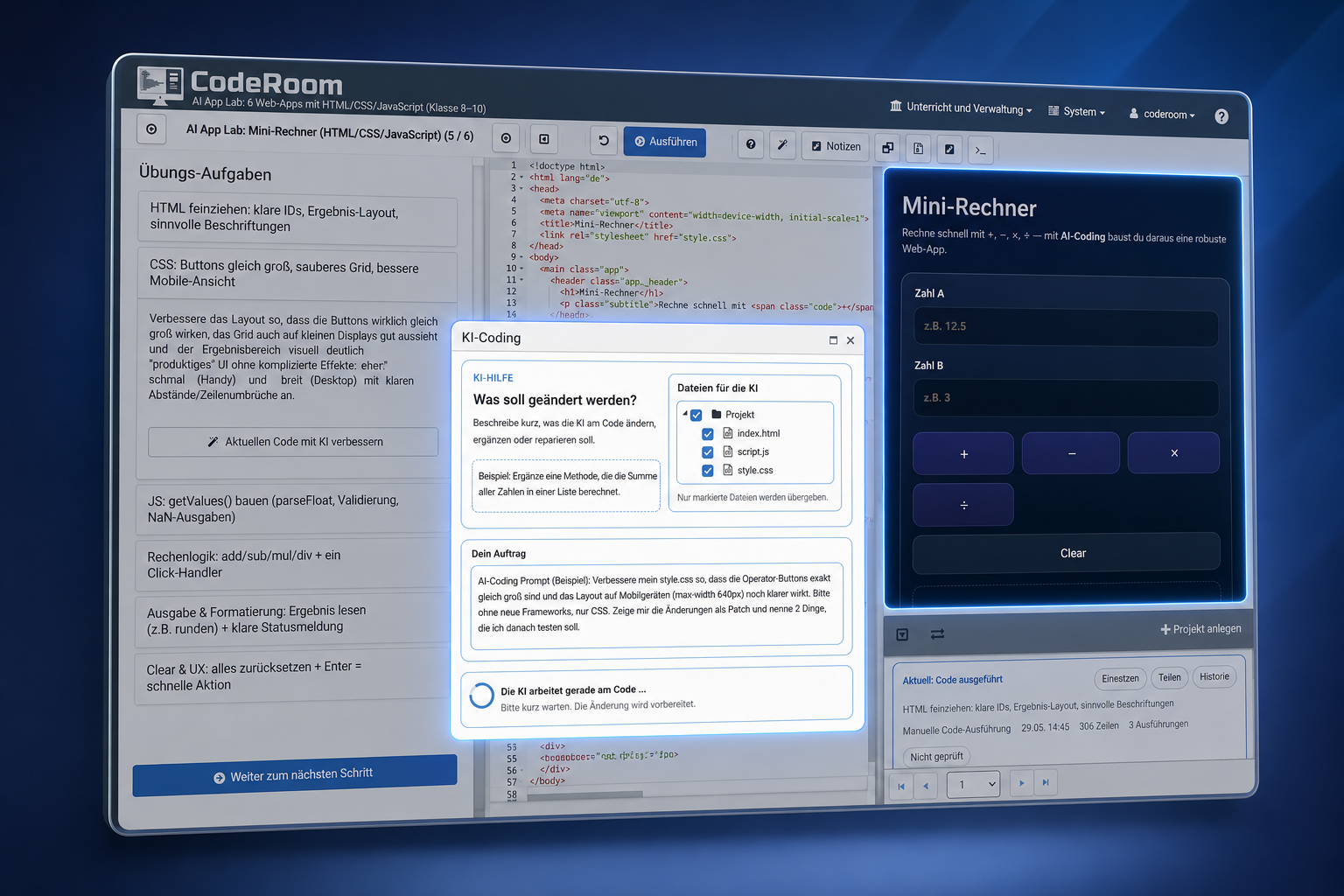
Targeted changes
The AI continues working on the existing code
Learners do not have to start from scratch. They can formulate a specific change, for example: "Add a timer", "Increase difficulty" or "Explain why the character is not jumping".
CodeRoom directly takes over the change in the current code or project. This keeps the context intact and learners can immediately test whether the adjustment works.
Work flow
From wish to executable change
The AI-Coding mode is deliberately kept simple: formulate idea, take over change, test result, and further improve.
Enter prompt
Learners describe in their own words what they want to improve, add or correct.
Use context
CodeRoom passes the relevant code, task, or project context to AI support.
Apply change
The proposed change will be structured in the existing code or project files.
Direct testing
The result can be executed and observed immediately and further developed in the next step.
Course templates with AI-Coding
Two entry paths: Web simulations and game development
The AI-Coding page can better show that the function is not only described abstractly, but already used in concrete course templates. The interactive HTML/CSS/JS simulations and the AI Game Lab with frameCraft are particularly well-suited because both templates work with executable start points, small extension steps, and directly visible results.

HTML, CSS, and JavaScript
AI Coding Lab: Building interactive simulations
Students develop browser-based prototypes to simulations, dashboards, and applications further. Data models, surfaces, rules, random events, and evaluations are added step by step.
View course template
Python with frameCraft
AI Game Lab BuildFromZero: Games from scratch
Classic game ideas like Snake, Pac-Man, Space Invaders, Bomberman light, or Tower Defense are developed into playable prototypes from small start bases.
View course templatePrototype First
Run first, then target specific areas for improvement
Both course templates follow a clear didactic pattern: A working prototype is established at the beginning, which can be executed immediately. The AI is not used as a replacement for the learning process but rather as a tool for small, verifiable development steps.
Visible Start
Each module begins with a result that is directly visible and testable in the browser or game window.
Small extensions
AI-Coding supports specific tasks such as new data, UI elements, rules, collisions, evaluations, or game states.
Transparent process
Prompts, changes, and versions become part of the lesson discussion and help with reflection, error detection, and evaluation.
Compact and Project
For individual tasks and larger projects
The AI-Coding mode supports classic CodeRoom tasks just as well as more extensive project work with multiple files. For simple tasks, the Compact mode is sufficient; for web projects, simulations, and games, selected project files can be modified specifically.
- Compact mode for individual tasks with an editor
- Project mode for files, folders, and more extensive templates
- Targeted changes to selected project files possible
- Suitable for HTML/CSS/JS projects and frameCraft games
Especially strong in the AI Game Lab
Develop your own games step by step with AI support
In the AI Game Lab Coding with frameCraft, learners can expand small games and interactive projects step by step. The AI helps in implementing own ideas without making the entry into complex game programming too high.
Motivating Projects
Games like Snake, Space Invaders, Pac-Man, Bomberman light or Tower Defense make programming visible and directly experiential.
Own Variations
Learners can change rules, figures, points, levels, or game goals and thus develop their own versions.
Direct Feedback
Changes can be executed immediately. This makes it visible whether the idea works or needs to be improved further.
Publication possible
Completed projects can be published with the share feature as an immediately executable version and passed on.
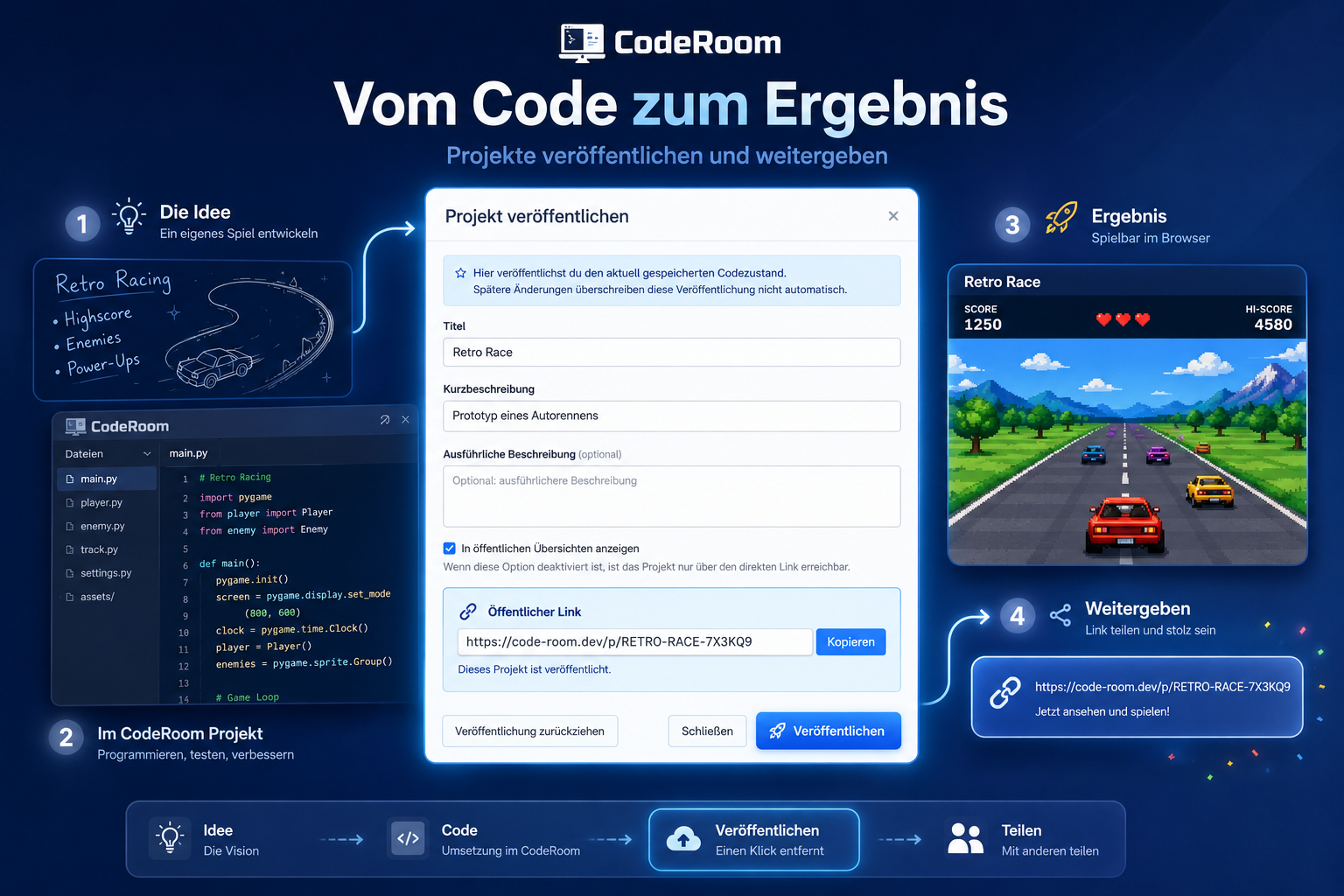
From Code to Result
Publishing and sharing projects
AI-Coding is particularly motivating when a running result emerges from an idea. With the share feature, learners can publish their code and pass on a directly executable version.
Thus, real small products, games or experiments arise from lesson tasks that can also be shown outside of class time.
Traceability
AI usage remains visible
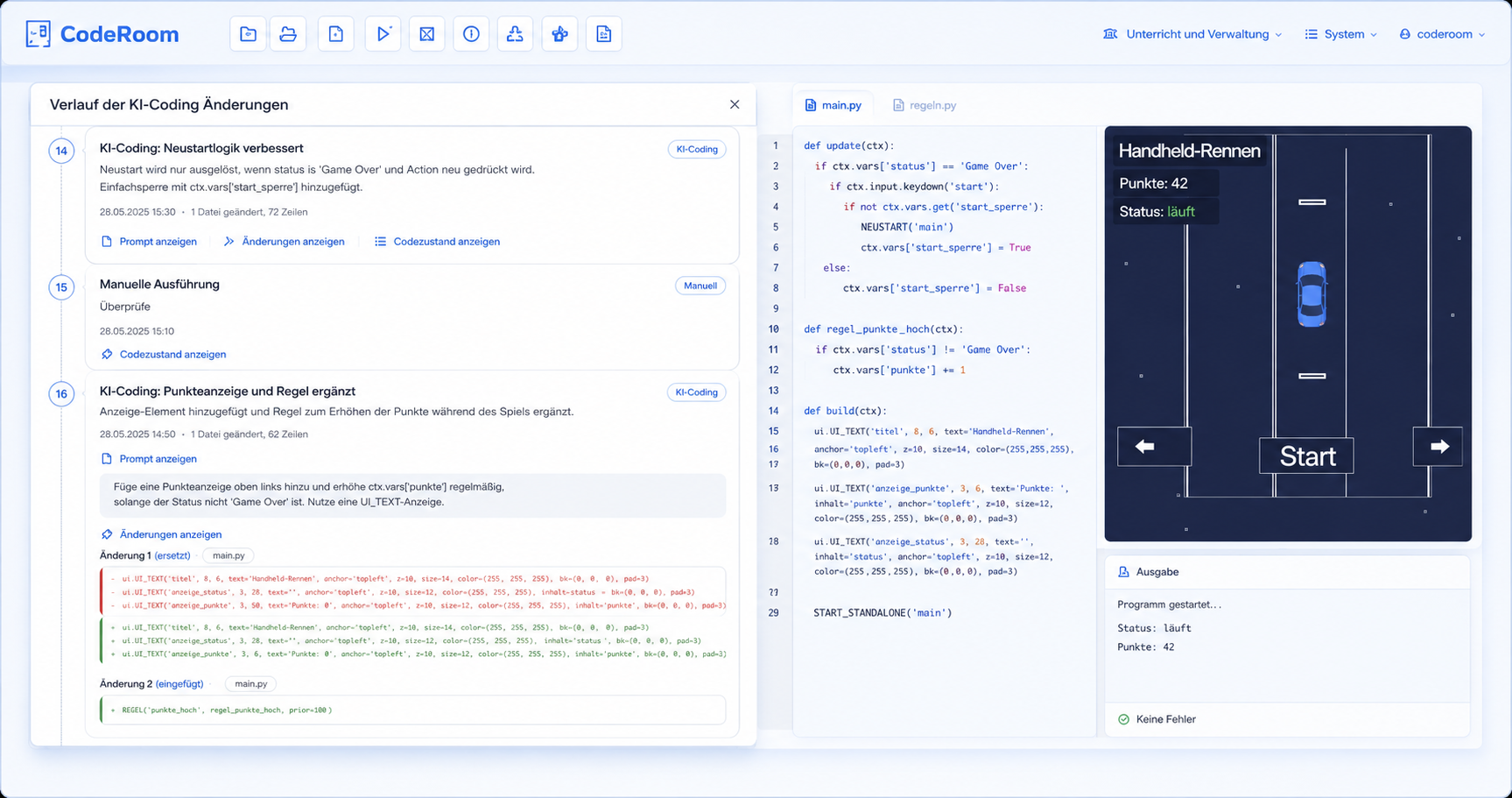
CodeRoom stores not only the current code but also makes the development of solutions more understandable. Especially when it comes to AI-Coding, this is important because prompts, changes, and intermediate steps are part of the learning process.
Code History
Work steps can be traced over several versions, instead of only seeing the last state.
Prompts and Changes
AI-supported change processes can be made visible and later discussed in class.
Evaluatable Process
Teachers receive a better basis to assess individual effort, development, and reflection.
For Teachers
Productively use AI without losing control
CodeRoom AI-Coding creates a school framework for AI-supported programming. The support is integrated into tasks, projects, and lesson plans.
- Learners continue to work in the prepared CodeRoom environment
- AI helps with the next step instead of only providing complete answers
- Development steps remain more visible and discussable
- Suitable for lessons, project work, and creative coding phases
Security and Control
AI-Coding with a school framework
The AI-Coding mode is intended as a controlled extension of the CodeRoom learning environment. Changes are not made arbitrarily outside the project but processed in the existing working context.
Context-dependent
The AI works with the current code, task, or selected project files instead of unstructured copies from external chats.
Targeted
Changes are applied to the existing code and can be tested directly afterwards.
Suitable for teaching
The mode supports independent work while remaining anchored in the learning environment and didactic process.
Ready for AI-assisted programming?
Start CodeRoom AI-Coding in a modern computer science class
Browser-based, school-friendly, and directly connected to the CodeRoom learning environment.