CodeRoom for Universities
CodeRoom

CodeRoom for Universities

Live coding in lectures – directly on tablets, laptops, and foldables

CodeRoom makes programming examples, data analysis, and visualization directly experienceable in the browser. Students do not just passively follow the code but try it out themselves during the lecture.

  • Browser-based
  • Ideal for tablets
  • Python, Java, Ruby
  • Visualization & data analysis
For lectures, exercises, and self-learning phases
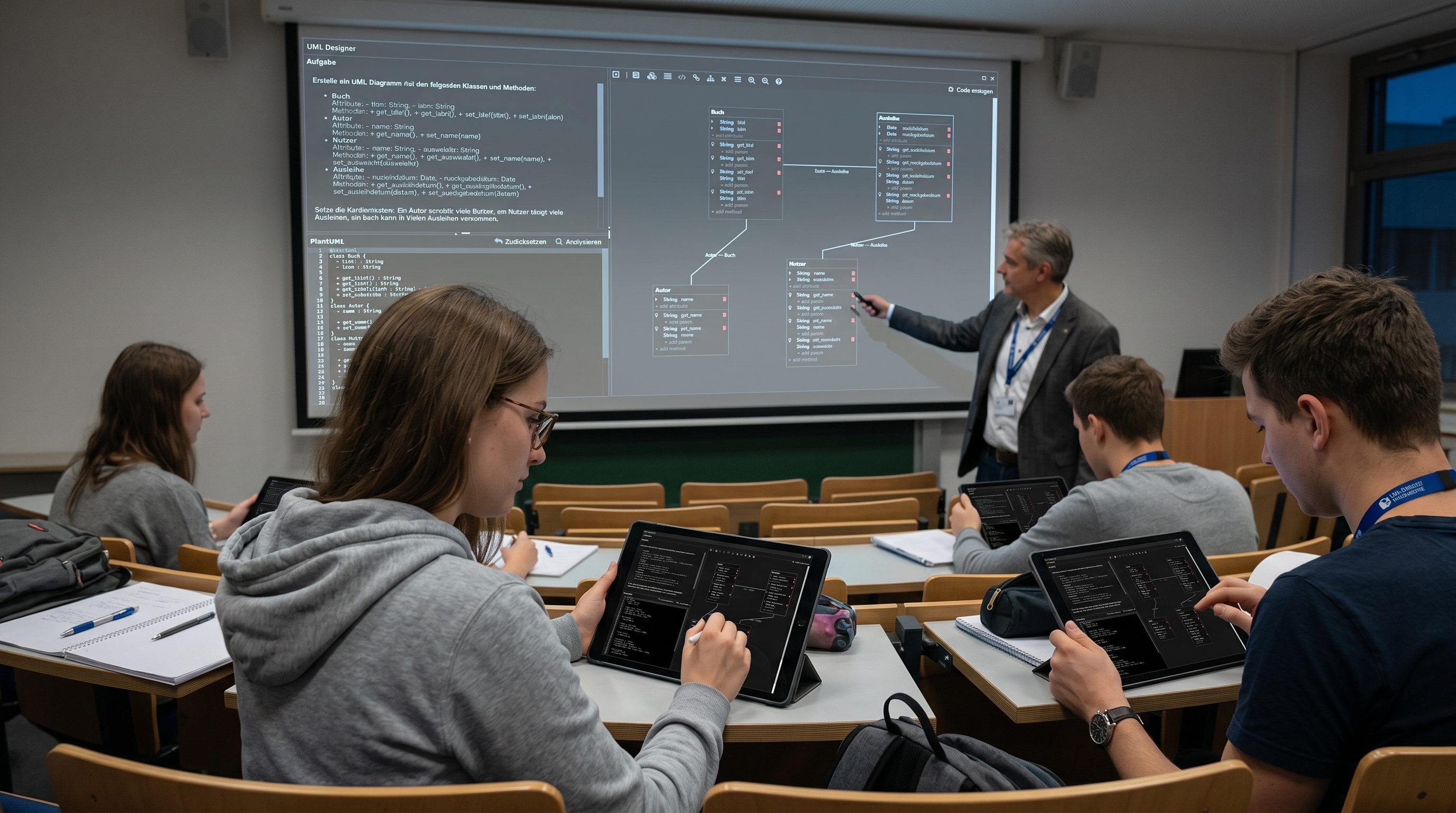
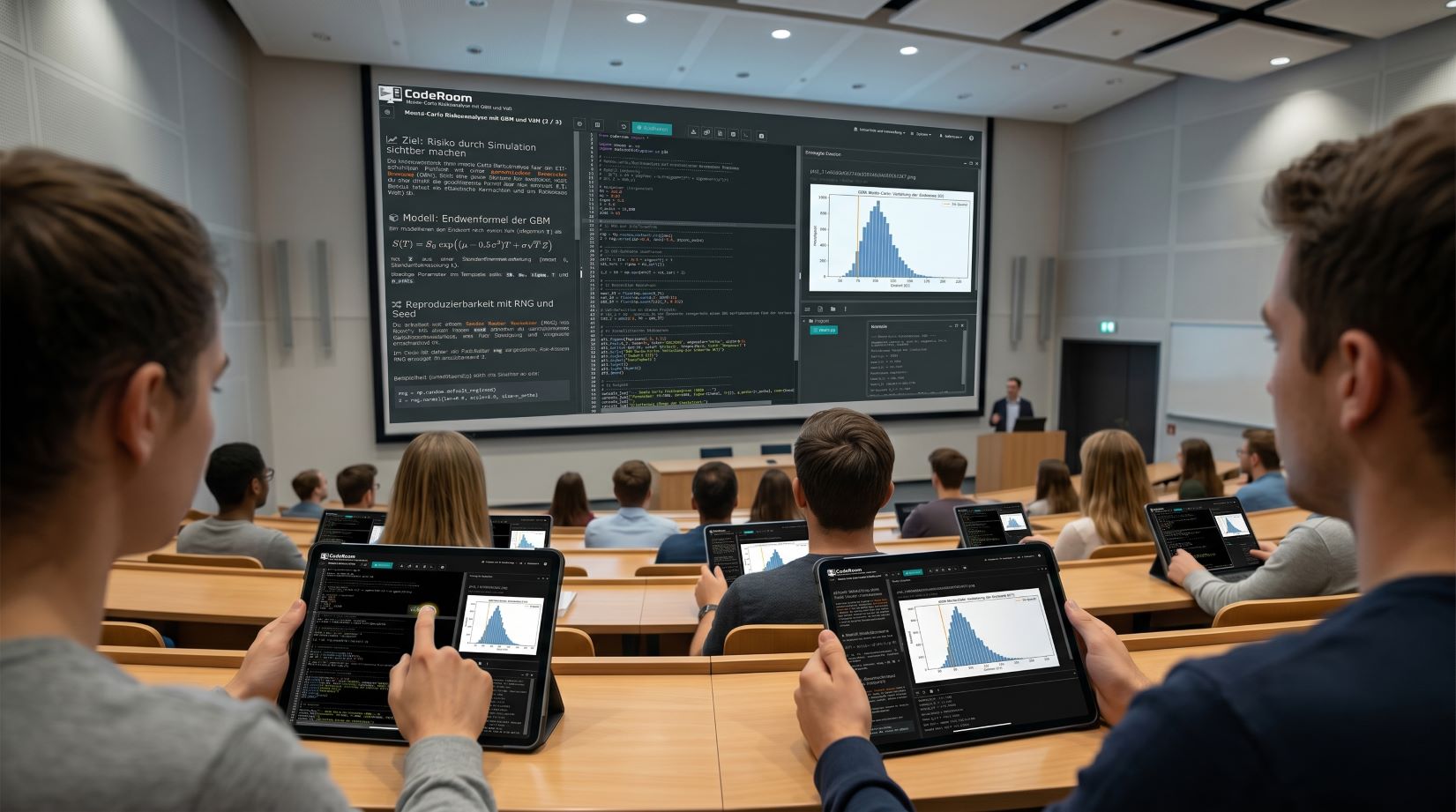
Code Room in the lecture hall with tablets and live programming

Programming in class – without installation, directly in the browser

Code Room is a browser-based programming environment for universities – ideal for lectures, exercises, and live demos when students work with tablets, laptops, or changing devices.

Instead of wasting time on installations, IDE problems, and different systems, students start directly in the browser. Code, explanation, and output are located in a common interface.

Whether Python, Java, data analysis, visualization, graphs, simulations, UML modeling, or Excel reports: Code Room makes programming during the event immediately tangible.

Request university demo

If only code is shown, programming remains passive

In many lectures, code is demonstrated but not directly tried out. Students see examples on the screen, but due to missing development environment, tablet use, or installation problems, they cannot actively participate.

That's where Code Room comes in: The programming environment runs completely in the browser. Students can immediately execute, modify, and understand examples from the lecture – without local setup.

  • No installation: Access via the browser on a tablet, laptop, or PC
  • Uniform environment: same runtime, same libraries, same interface
  • Live results: text output, graphics, diagrams, files, and interactive visualizations
  • Didactic structure: Unified environment:
  • Ideal for large groups: Fewer technical hurdles in lectures and exercises:
Students program directly in the browser on tablets:
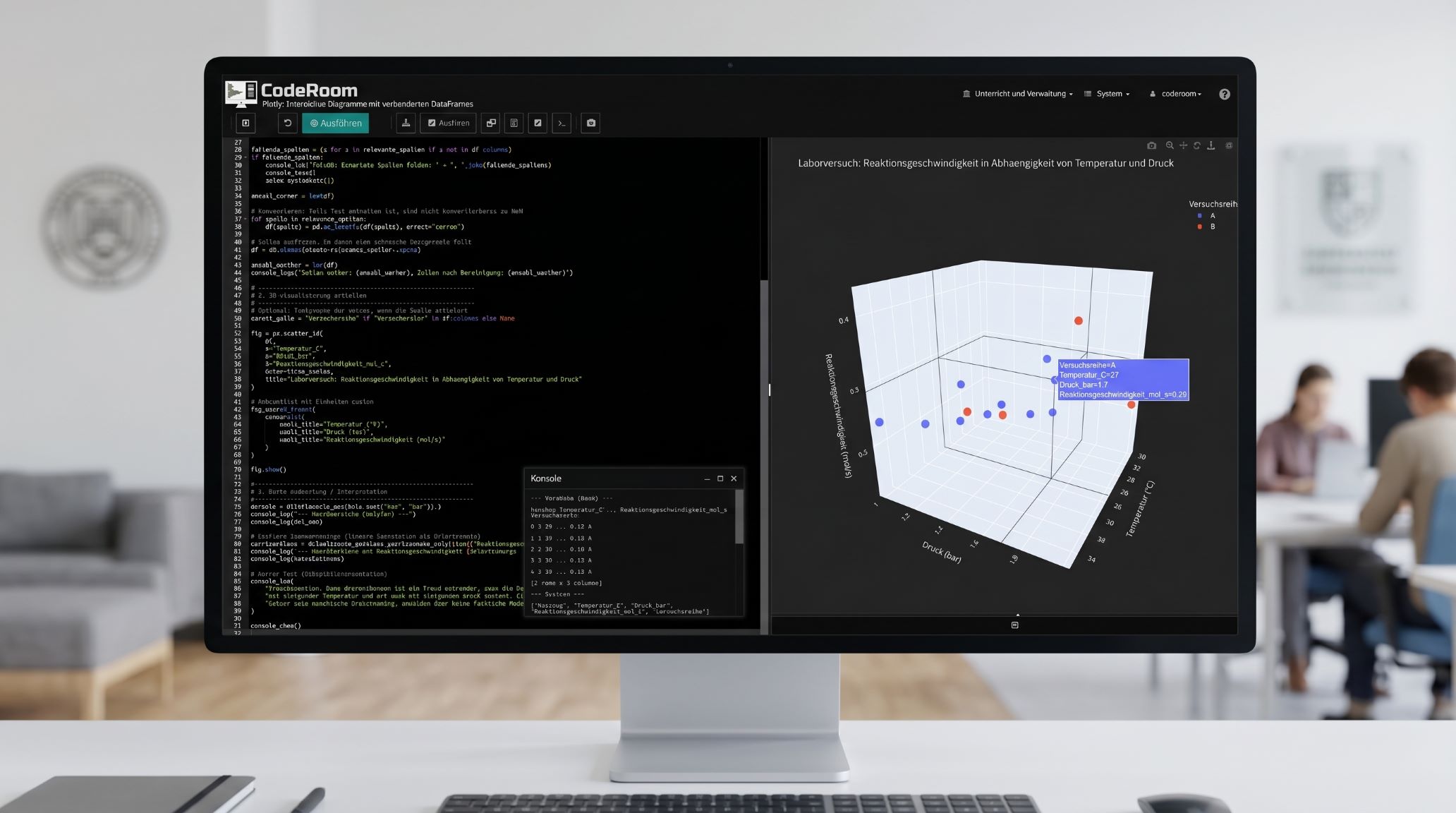
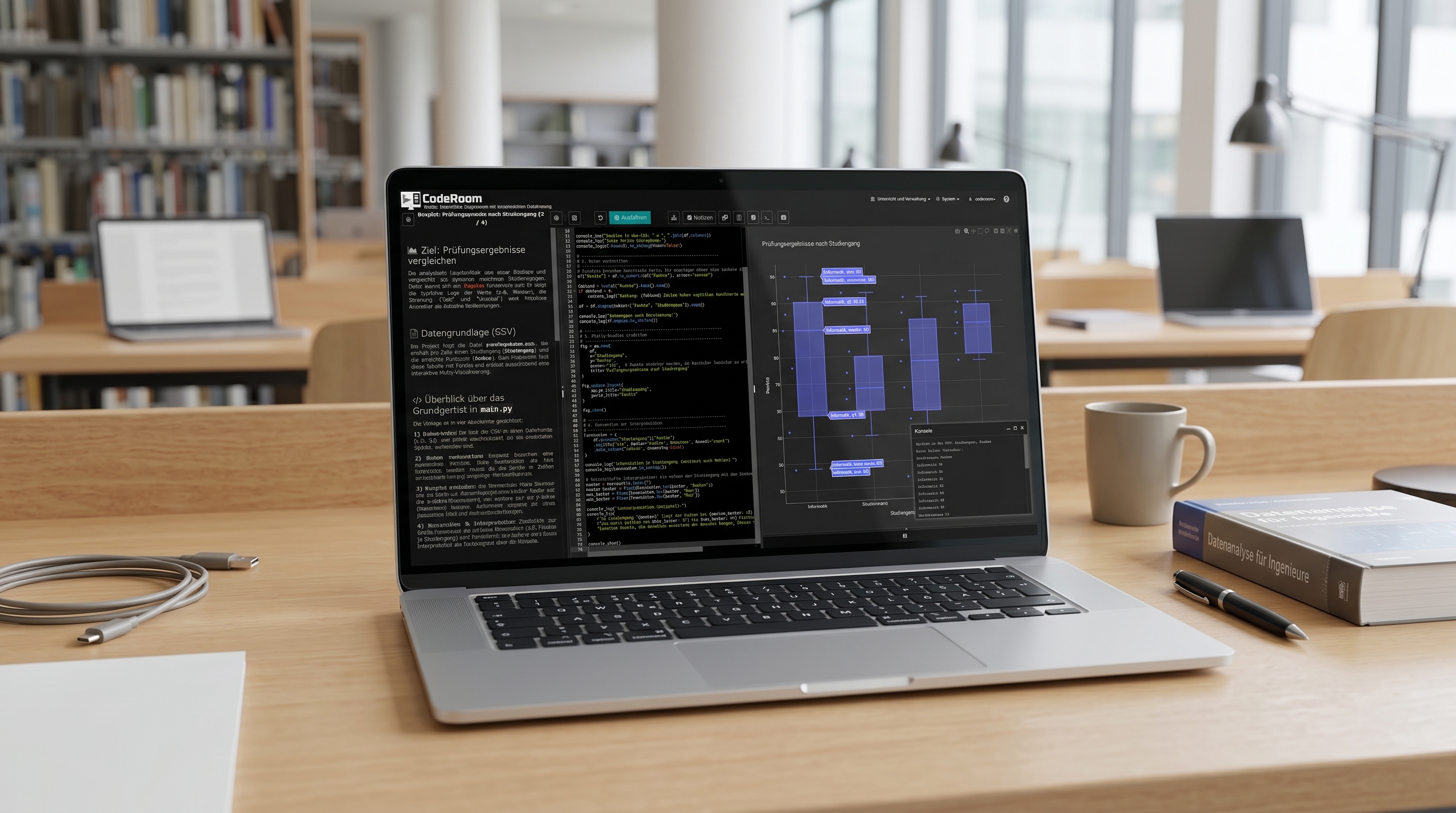
Live coding and visualization in CodeRoom:

From live coding to actual participation:

CodeRoom is particularly suitable for lectures where code is not only explained, but also directly tried out:

  • Instructors demonstrate code live: – Students test the same process immediately themselves:
  • Change parameters: Simulations, diagrams, and models become directly comprehensible:
  • Analyze data: CSV files, tables, APIs, and measurement data can be processed immediately:
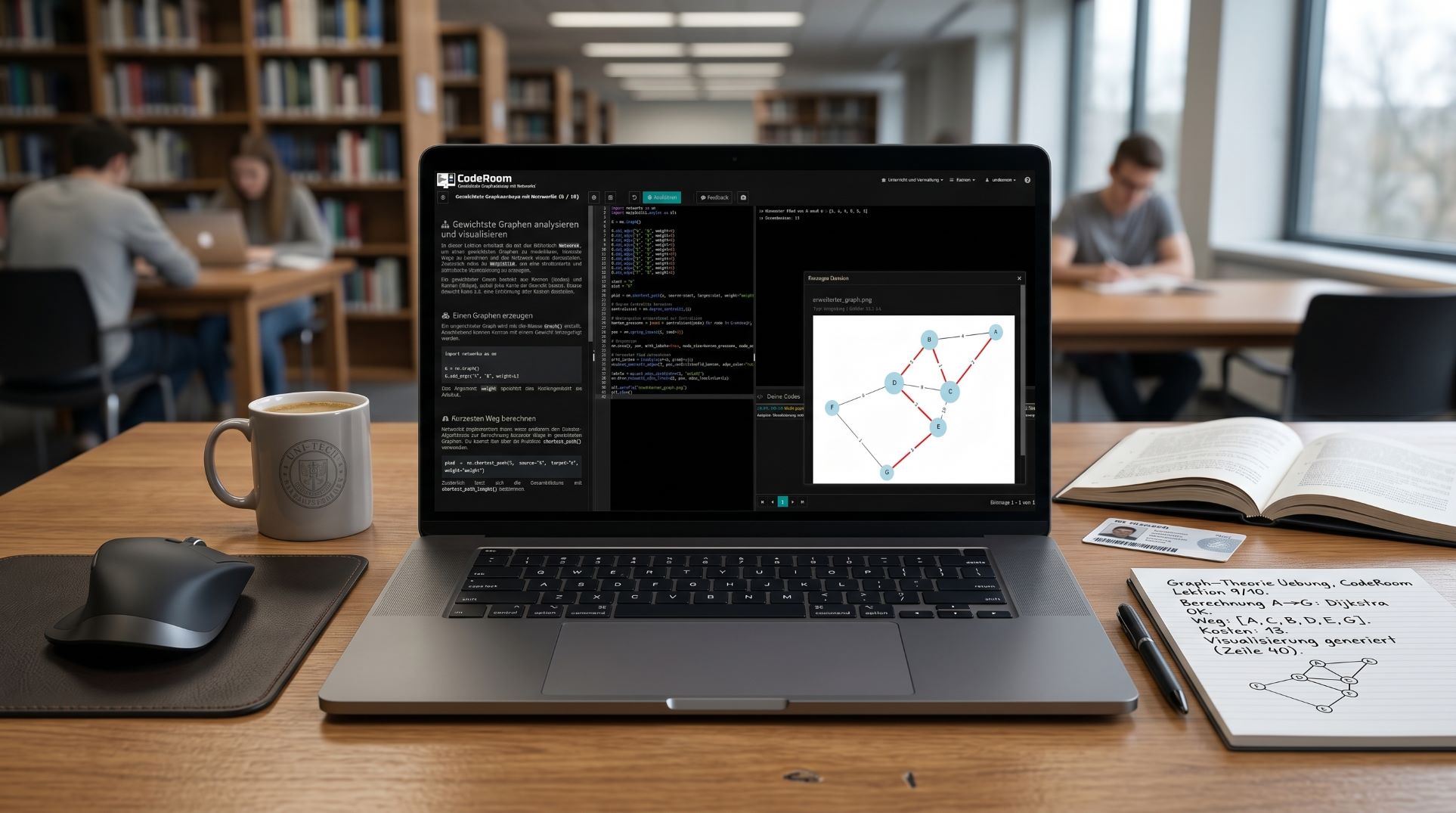
  • Visualize algorithms: Graphs, shortest paths, networks, and structures become visible:
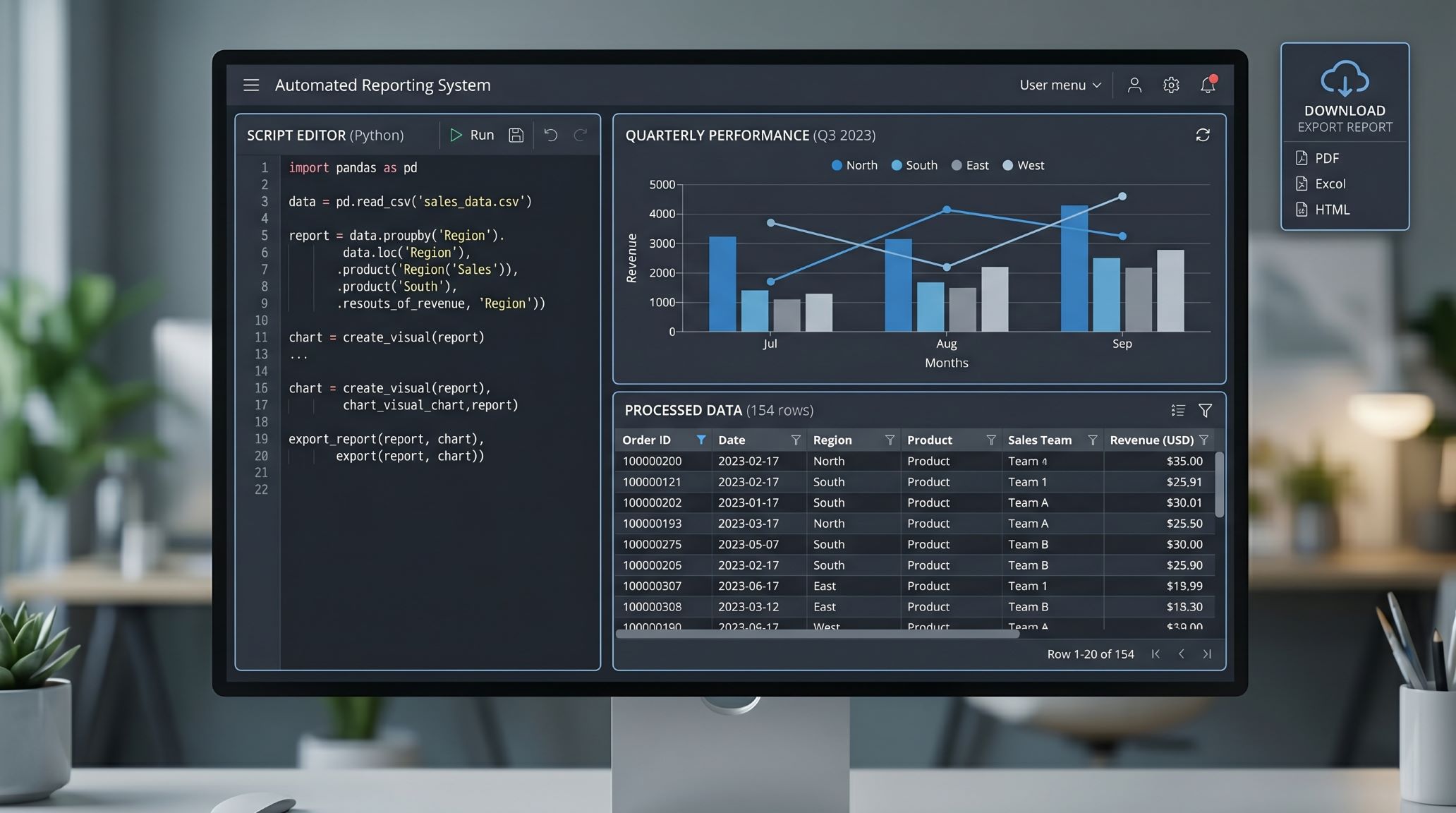
  • Export results: Diagrams, text files, tables, or Excel reports can be generated:

This turns a demonstration into an active working phase – even in large events.

UML designer in CodeRoom:

From model to code – use UML directly in the lecture:

With the integrated UML designer, you connect modeling and programming in a continuous learning environment.

  • Visually model: Classes, attributes, methods, and relationships are created directly in the diagram:
  • PlantUML is integrated: Modelle gleichzeitig grafisch und textuell bearbeiten
  • Code automatically generate: runnable code in Python, Java or Ruby from the diagram.
  • Directly executable: generated code can be tested and extended immediately
  • Didaktischer Fokus: Verständnis von Softwarestruktur vor Implementierungsdetails

So wird aus abstrakter Modellierung ein direkt erfahrbarer Teil der Programmierlehre.

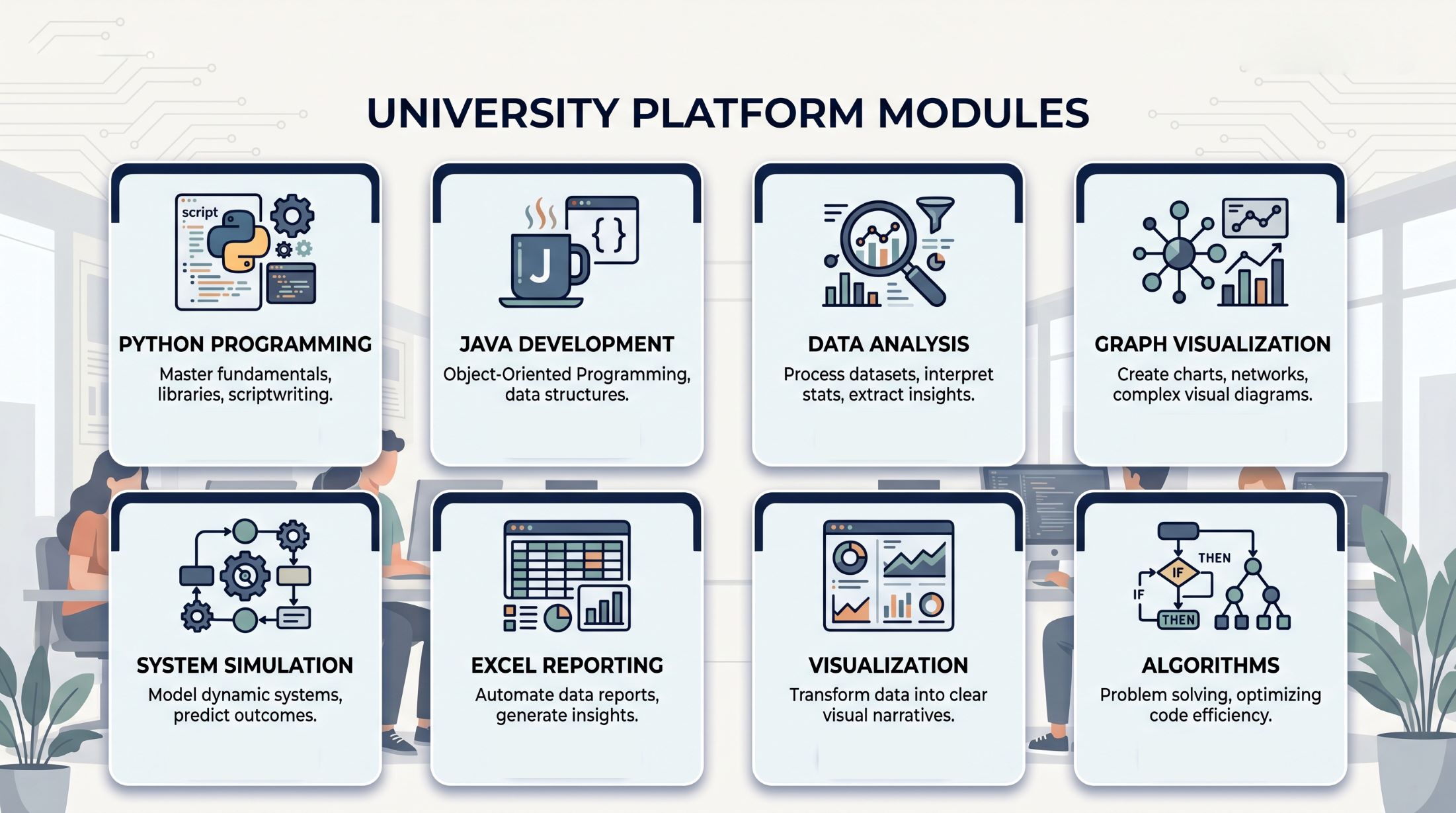
Typical Use Cases in Colleges and Universities

Data analysis in class

Live data explanation

Pandas, NumPy, Matplotlib and Plotly enable practical data analysis directly during the lecture – from CSV data to interactive diagrams.

Graphs and networks visualize

Algorithms make visible

With NetworkX or JGraphT, graphs, networks, shortest paths, and search methods can be didactically demonstrated.

Excel reports generate with Python and Java

Reports and files create

With openpyxl or Apache POI, students can automatically create Excel reports – ideal for economics, engineering, and data analytics.

Simulations and numerical models

Run models and simulations

Numerical methods, differential equations, Monte Carlo methods, or scientific models become directly calculable and visualizable.

UML modeling and code generation

Make software architecture understandable

Create class diagrams, understand relationships, and generate code directly – ideal for object-oriented programming and software engineering.

Plan CodeRoom for your university?

Whether it's a single lecture, pilot project, or department-wide implementation – find suitable options for universities on the prices page.

View prices

An environment for modern programming and data teaching

CodeRoom combines didactic curriculum with server-side execution and powerful libraries. This allows universities to not only teach basics, but also show realistic applications in data analysis, visualization, simulation, reporting, and science.

Python 3

Ideal for data analysis, scientific computing, visualization, machine learning, and interactive lecture demos.

  • Data Analysis: Pandas, NumPy, Statsmodels
  • Visualization: Matplotlib, Plotly
  • Machine Learning: Scikit-learn
  • Science: SciPy, SymEngine, Astropy
  • Domains: Biopython, RDKit, GeoPandas
  • Reporting: openpyxl
  • Graphs: NetworkX
  • Modeling: UML modeling with code generation

Java 21

Suitable for computer science basics, object-oriented modeling, algorithms, data processing, and robust applications.

  • Data Analysis: Table saw
  • Visualization: XChart
  • Office Files: Apache POI
  • Graphs: JGraphT
  • Mathematics: Apache Commons Math, JAS
  • Machine Learning: Weka 3, Smile KNN
  • Domains: BioJava, Chemistry Development Kit
  • Science: JScience
  • Modeling: UML-Designer with Code Generation

Ruby 3.2

A elegant and productive language for automation, data processing, web communication, and compact applications.

  • Data Analysis: Daru
  • Numerics: Numo-NArray
  • Statistics: Statsample, Distribution
  • Mathematics: Matrix, Phys-Units
  • Visualization: ChunkyPNG, Rubyplot
  • Bioinformatics: Bio
  • Geodata: Geokit
  • Data Formats: JSON, CSV
  • Web Communication: HTTParty
  • Modeling: UML-Designer with Code Generation

Teachers can work with Python, Java, or Ruby for each course without local installations and directly usable libraries in the browser.

New demo templates for universities

For the university landing page, some compact templates are also suitable that specifically show modern libraries and typical lecture situations.

  • Interactive data analysis with Plotly: Load CSV files, calculate key figures, and display interactive diagrams in the browser
  • Automate Excel reporting: Generate and download reports using Python openpyxl or Java Apache POI
  • Understanding graphs & networks: Analyze shortest paths, node degrees, and networks with NetworkX or JGraphT
  • UML to code: Create class diagrams and automatically convert them into executable code – ideal for software engineering
  • Machine Learning Basics: Simple classification or regression using Scikit-learn, Weka, or Smile
  • Analyzing geodata: Evaluate and visualize location data with GeoPandas
  • Chemistry and bioinformatics demos: Molecules, sequences, and specialized applications using RDKit, Biopython, BioJava, or CDK

These templates do not have to be complete semester courses. Even compact live demos with clear tasks are sufficient to show the added value to universities.

Demo templates for universities in CodeRoom
KI support in CodeRoom for universities

Integrate KI support into teaching controlled

CodeRoom can integrate KI functions directly into the learning environment – without students having to open external chats.

  • KI error assistance: Support for error messages and typical programming problems
  • Code evaluation: Automatic feedback on solution submissions
  • AI mode: Prompting exercises and reflective work with AI in a secure environment
  • Content creation: Prepare and adapt templates and exercises faster

This is not how AI becomes an uncontrolled shortcut, but rather a didactically integrated tool.

From lecture hall to exercise: a seamless workflow

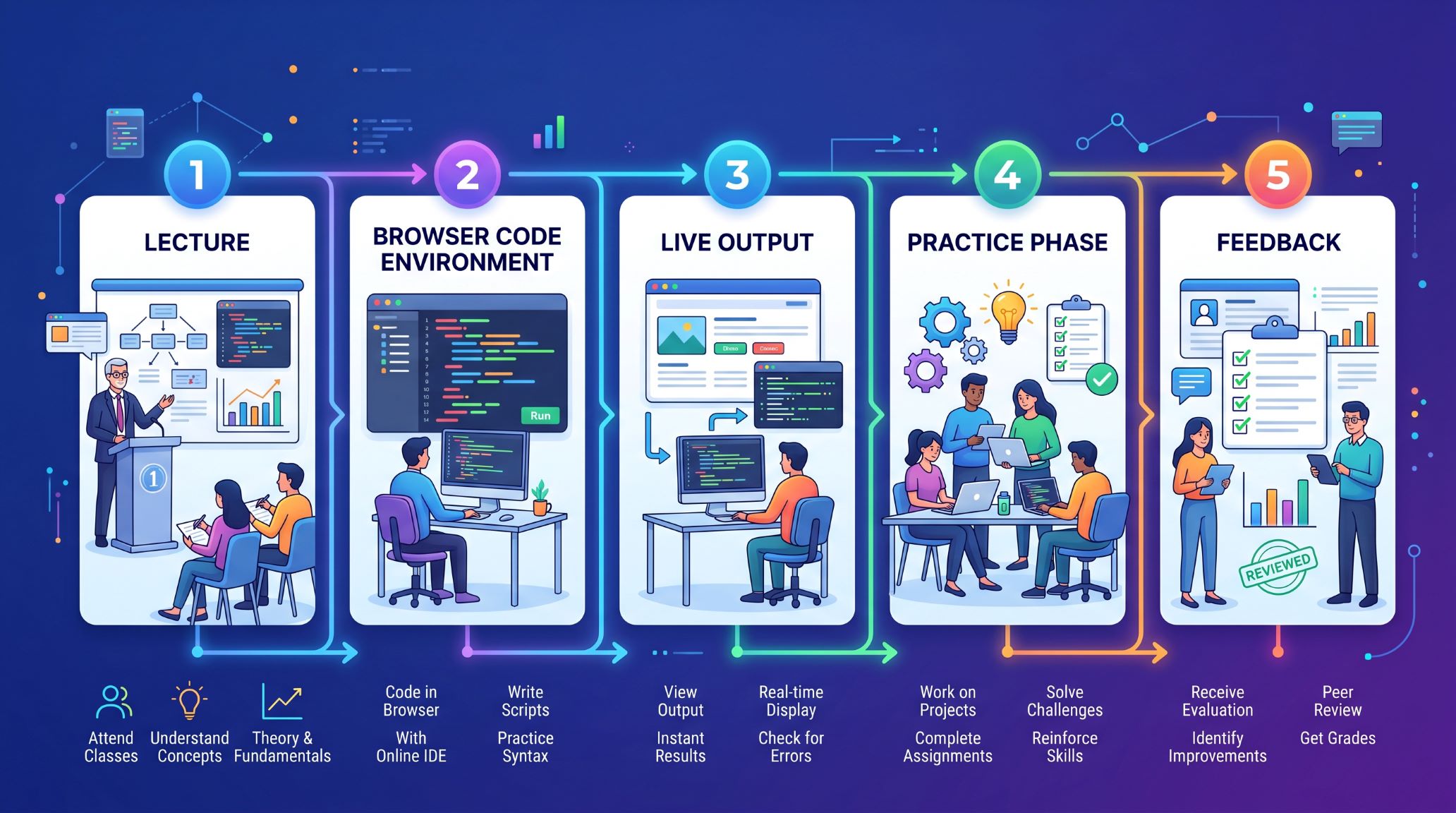
  • 1. Demo: Teachers open a prepared template and explain code, data, or algorithms live.
  • 2. Students start directly: Everyone works in the browser with the same environment and files.
  • 3. Results visible: Outputs, diagrams, graphs, or files appear directly in the result area.
  • 4. Deepen tasks: Students change parameters, expand methods, or analyze their own data.
  • 5. Receive feedback: Teachers maintain structure and task assignment, AI support can be targeted to help.
CodeRoom workflow from lecture to exercise
Demo access for universities

We demonstrate CodeRoom based on your lecture

The best demo is not a general product walkthrough, but a concrete scenario from your teaching.

We can build a sample lecture situation together – for example, data analysis with Python, graph algorithms with Java, Excel reporting, or an interactive simulation.

You will see immediately how CodeRoom can be used in your event.

Introduction, adaptation, and support

CodeRoom can be prepared for individual courses, departments, or university-wide scenarios. We support the selection of suitable templates, adapting to existing content, and technical introduction.

  • Setting up suitable course and exercise templates
  • Adapting to faculties such as computer science, economics, natural sciences, or engineering
  • Support for demo events and pilot phases
  • Data protection compliant use without local installation