Computer Science Education with CodeRoom
Computer Science Education with CodeRoom
Control lessons without losing sight of the bigger picture.
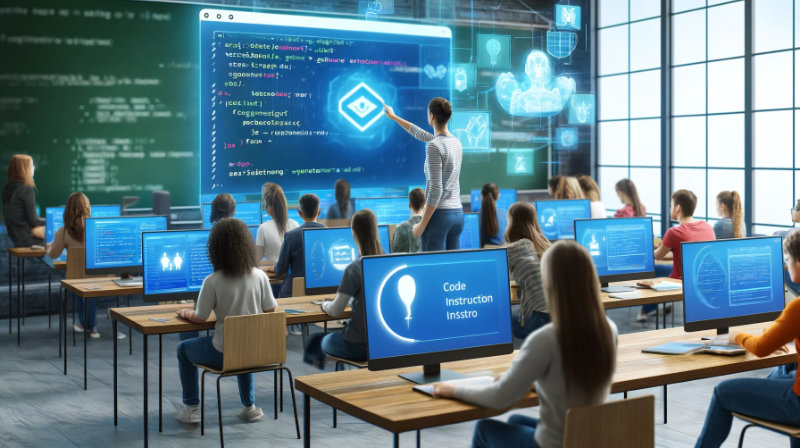
CodeRoom shows you in real-time what your students are working on, who needs support and who has already made progress. This creates a calm and structured computer science lesson with targeted support.
Everything under control
Peace and order thanks to system-supported course leadership
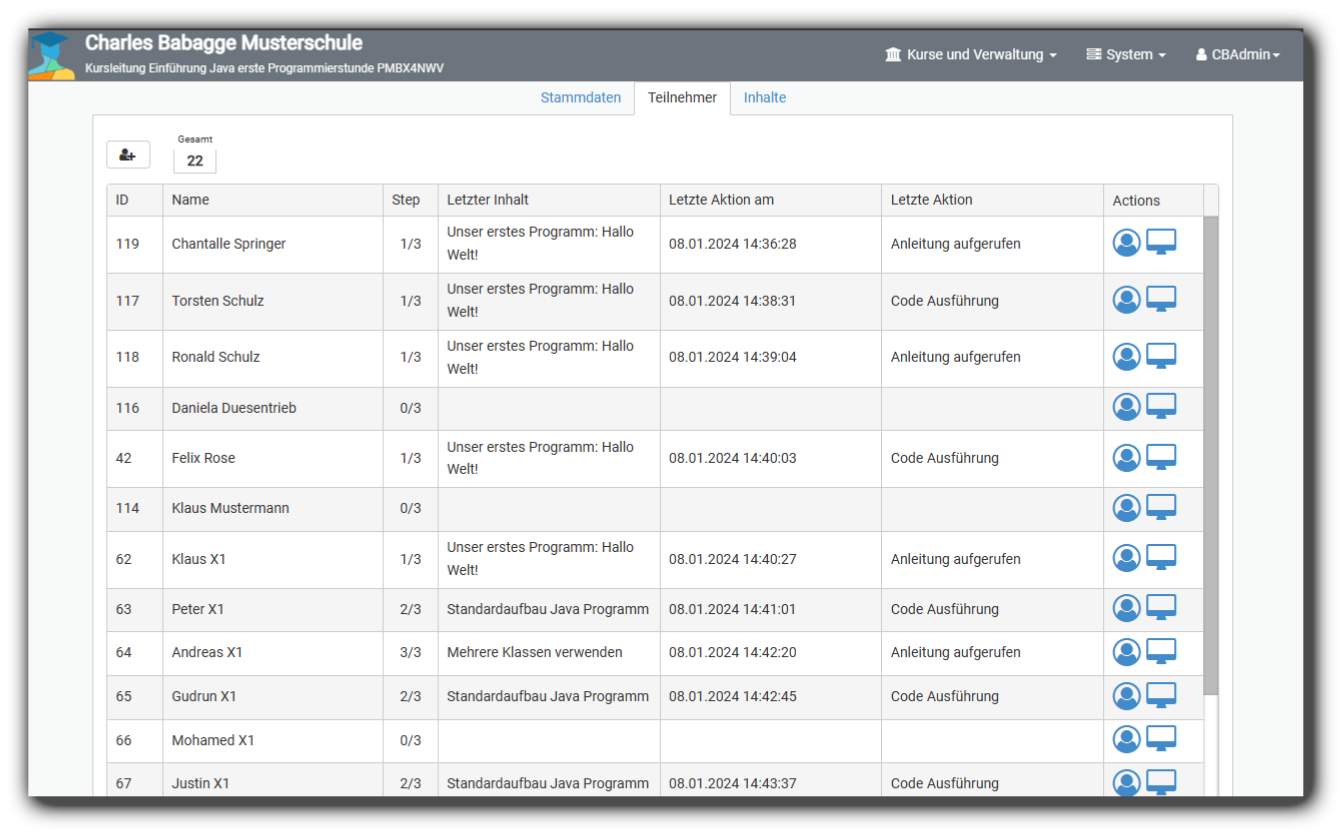
With CodeRoom, you can see at any time what your students are working on, what they last did, who is finished and who is not making progress. The system provides a list view of the participants, which lists the current exercise as well as the last action.
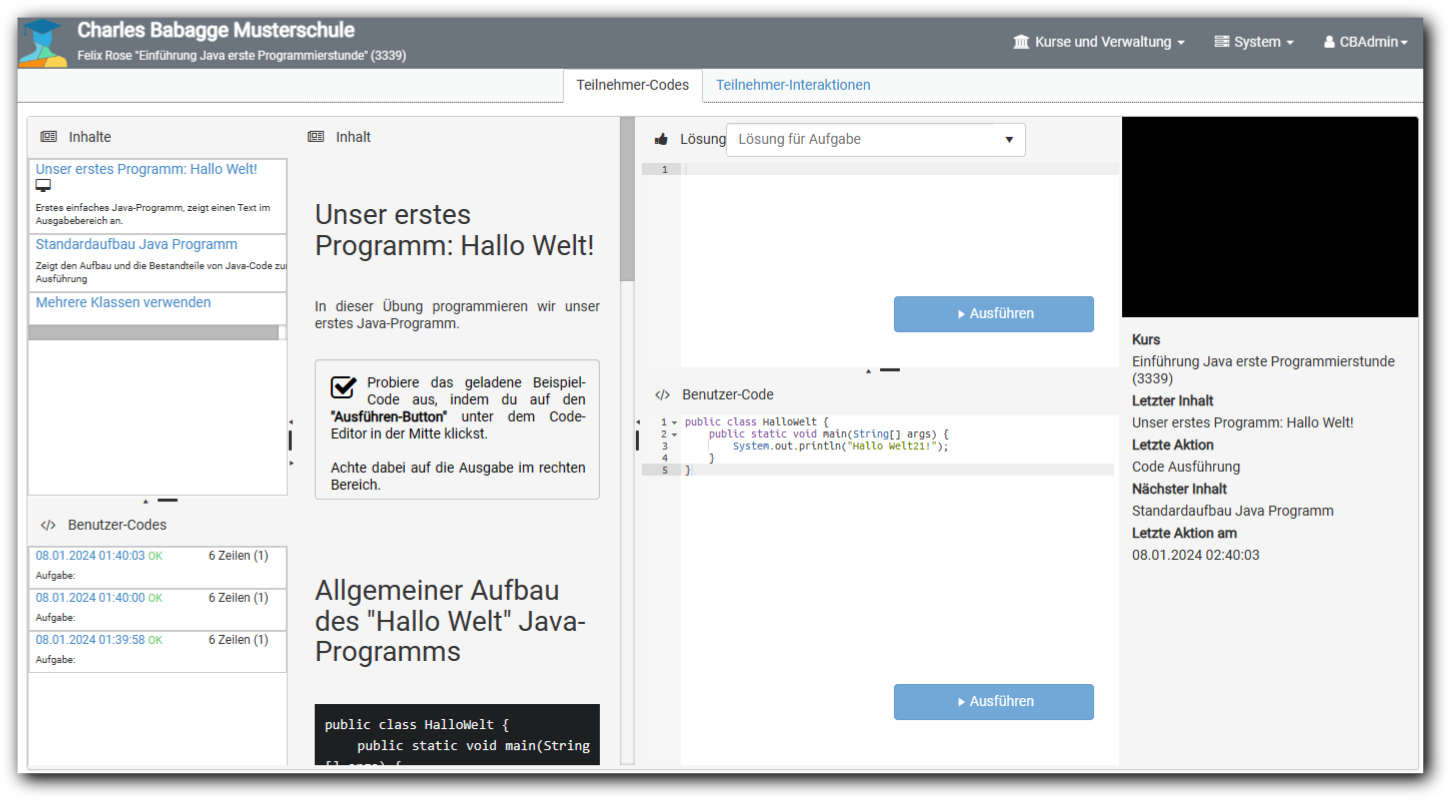
With the detailed view, you can compare the executed codes of the learners with the sample solution. Since the course leadership always has an overview of the learning progress, they can integrate advanced students to provide targeted support.
This way you utilize existing resources in the learning network optimally and establish a quiet working atmosphere that is characterized by mutual cooperation.
What teachers immediately recognize in class
CodeRoom makes learning progress visible without interrupting the workflow of the class.
Current work status
You see which exercise the learners are working on and what action was last performed.
Targeted support
Problems become visible faster, so help arrives where it is needed.
Cooperation in the course
Advanced students can be meaningfully integrated without losing sight of things.
AI assistance for more efficiency
Computer science lessons are supported by the integration of "Staple Code Instruct 3B". The AI helps learners understand and correct programming errors independently. Error analyses are explained in a way that students receive immediate feedback.
Teachers are relieved as the AI takes over routine tasks such as analyzing typing errors or syntax problems. At the same time, the independence of the learners is preserved through time constraints on AI support .
The DSGVO-compliant technology ensures that no personal data is transmitted.
Overview of the course leadership
Teachers benefit from an overview of the participants during the lesson units. They can immediately see which content the students are currently working on and when they last executed code.
In addition, progress within the contents is visible. This enables targeted support and individual promotion.
Result check
CodeRoom allows for an individual result check. Teachers can compare and test the executed codes of students with the sample solutions in the detailed view.
All executed codes are stored in the system and can be viewed by teachers and learners at a later time.
Project mode for complex programming projects
The project mode allows extensive programming projects with multiple files and folder structures to be created and managed directly in the browser.
Teachers and students can thus work on realistic projects and develop more complex applications.
Discover the efficiency and order that CodeRoom can bring to your lessons. Track the progress of your students in real-time and promote collaboration in the classroom.
Start modern computer science teaching today.
Experience how CodeRoom brings together course leadership, learning progress, and individual support in a clear environment.