Educational Extension for pygame
Educational Extension for pygame
frameCraft makes visual programming suitable for teaching
Games development, simulations, and visual programming particularly motivate students strongly. The direct entry into classical frameworks is often unnecessary technically in the classroom.
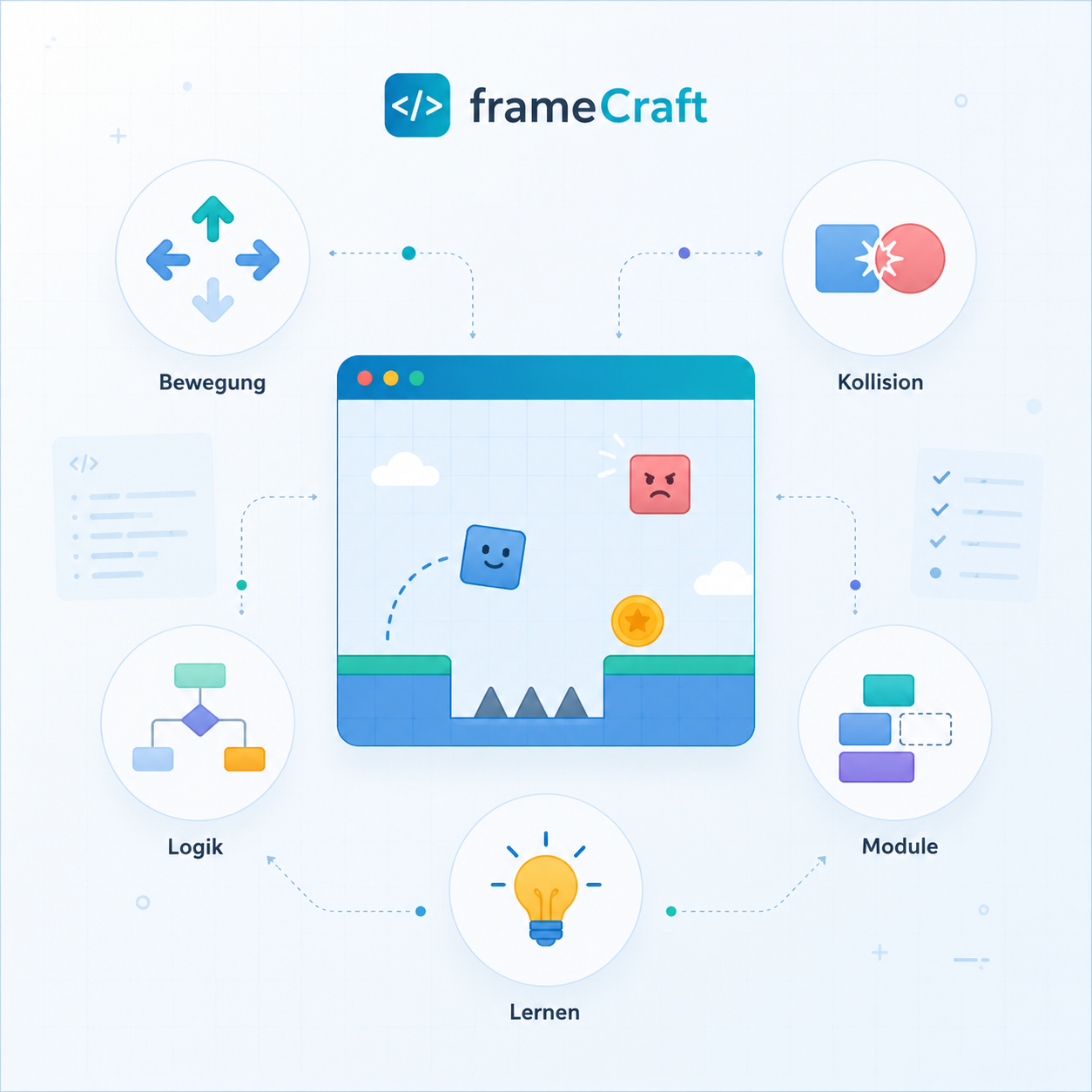
frameCraft extends pygame with a didactically reduced layer: Learners build interactive projects faster and focus on logic, algorithms, states, and modeling instead of engine details.

Simpler entries, visible results, and clear game structures: frameCraft brings pygame closer to everyday classroom life.
Why frameCraft?
Less engine details, more computer science
frameCraft is not a classical game engine extension, but an educational tool for modern computer science education. The library reduces technical hurdles without hiding the professional concepts.
Direct entry
Typical pygame components such as game loop, event handling, and rendering are didactically encapsulated. This creates faster first executable programs.
Clear structure
Scenes, rules, objects, collisions, and states are visibly separated. This supports understandable code organization and modeling.
Project-oriented learning
Games, simulations, and visual models grow step by step: from the first object to HUD, level logic, and polish.
Pedagogical added value
From visible projects, professional learning opportunities arise
Early self-efficacy is particularly decisive in the school context. When figures move, objects collide, or a game state visibly changes, learners experience abstract computer science concepts immediately.
This allows central principles of computer science to be promoted specifically: modularization, abstraction, algorithmic thinking, data structures, and object-oriented modeling.
Course landscape
Four game templates show different approaches to frameCraft
Frogger remains a particularly well-understood entry into movement, lanes, level construction, and collisions. The new templates expand the spectrum: Breakout focuses on reflection and block raster, Space Invaders works with object groups and pools, Flappy Colors Flight connects input, gravity, and increasing difficulty.

Frogger complete
The course takes you from the first scene to movement, touch buttons, data-driven cars, lives, win conditions, HUD, restarts, and graphical polish.
To the course
Programming Breakout
Breakout condenses game development into paddles, balls, block grids, reflections, points, lives, death zones, and restart logic.
To the course
Flappy Colors Flight
The template combines visible game figures, flat input, gravity, pipe pairs, entity pools, point counting, and increasing difficulty.
To the course
Space Invaders
The arcade prototype shows how shots, enemy groups, nested loops, hits, points, states, and effects work together.
To the courseDidactic selection
Each template sets a different professional focus
The courses are not just variations of the same game principle. They can be selected according to different teaching goals, groups, time frames, and focuses.
Frogger: States in the game field
Suitable when traffic lanes, movement in discrete directions, level boundaries, lives, and win conditions are in focus.
Breakout: Collisions as a core rule
Ideal for units on reflection, hit logic, block grids, counters, death zones, and clear game over mechanisms.
Flappy: Movement and difficulty
Visible for speed, gravity, time-based updates, obstacle recycling, single point counting, and balancing.
Space Invaders: Organizing object quantities
Strong for loops, nested loops, numbered entities, shot pools, enemy groups, hit processing, and effect pools.
Code becomes readable
Game rules are in focus
In frameCraft, engine internals are not discussed first. The central idea is directly visible in the code: objects have tags, states lie in the scene, rules, and collisions change the game.
- Tags connect objects logically with each other.
- ctx.vars store game states like lives, points, or game over.
- Collision handlers make event logic explicitly readable.
import frameCraft as fc
FROG_START_X = 160
FROG_START_Y = 180
AUTO_WIDTH = 46
AUTO_HEIGHT = 20
SPIEL("Frogger - Kollisionen", fenster=(320, 200), fps=30, hintergrund=(30, 120, 40))
SZENE("haupt", leben=5, tot=False)
@SZENE_AUFBAU("haupt")
def aufbau(ctx):
    OBJEKT("frosch", pos=(FROG_START_X, FROG_START_Y), tag="frosch")
    RECHTECK("frosch", 24, 24, ausloser=True)
    OBJEKT("auto_0", pos=(40, 100), tag="auto")
    RECHTECK("auto_0", AUTO_WIDTH, AUTO_HEIGHT, ausloser=True)
    GESCHWINDIGKEIT("auto_0", 90, 0)
    def kollision_auto(ctx, frosch_e, auto_e):
        if ctx.vars.get("tot"):
            return
        ctx.vars["leben"] -= 1
        frog_ent = ctx.E("frosch")
        if ctx.vars["leben"] <= 0:
            ctx.vars["tot"] = True
            if frog_ent is not None:
                frog_ent.alive = False
        else:
            if frog_ent is not None:
                frog_ent.x = FROG_START_X
                frog_ent.y = FROG_START_Y
    BEI_KOLLISION("frosch", "auto", kollision_auto)
fc.START_STANDALONE("haupt")
Typical teaching projects
frameCraft is not limited to arcade games
The same structure can be used for classical games, simulations, mathematical visualizations, and creative experiments. This way, frameCraft can be used both in computer science classes and in MINT contexts.
Classical games
Snake, Breakout, Tetris, Pong, Frogger, or small arcade games are particularly well-suited to model movement, collisions, and states.
Simulations
Motion, speed, impulse, collisions, waves, oscillations, or agent models are visible as dynamic systems.
Creative visualizations
Symmetries, ornamentation, color spaces, random images, or data images connect programming with design.

Suitable for schools
Browser-based, structured, and flexible to use
Through the combination of pygame proximity, browser-based execution in CodeRoom, and didactically reduced API, frameCraft becomes a practical tool for teaching, projects, differentiation, and substitute lessons.
Teachers benefit from clear building blocks and faster project start. Students benefit from visible results, creative tasks, and access that remains fachlich connected.
Next step
frameCraft makes pygame a tool for active computer science teaching
Accessible, structured, and project-oriented: students develop their own interactive programs and understand central concepts such as conditions, loops, functions, states, collisions, data structures, and modeling.