Learn to program in a playful way.
rpgDungeon() for CodeRoom
Programming becomes an adventure.
With rpgDungeon(), students connect code with visible game logic: movement, collisions, items, NPCs, victory conditions, and their own levels become directly experiential.
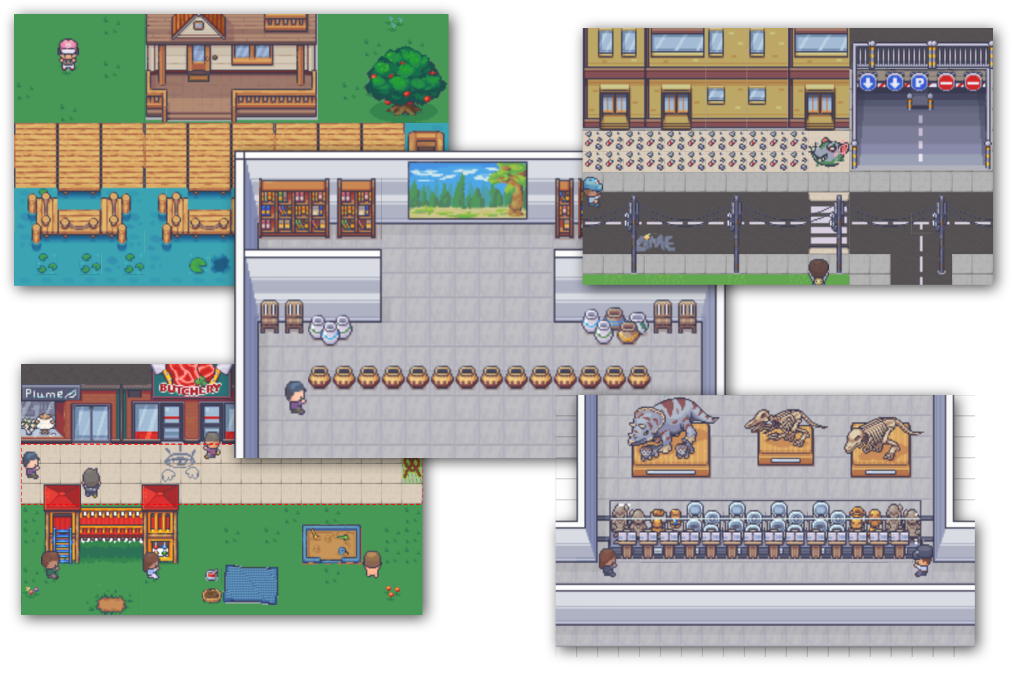
What is rpgDungeon()?
A small game world based on real programming concepts.
The engine is inspired by the classic Turtle concept, but goes much further. Instead of just drawing lines, students control actual game figures through levels – with collisions, items, NPCs, and their own logic.
- Commands like
bewegen(),links_drehen(),warten()andinteragieren() - Immediate visible results through animated gameplay sequences
- Ideal for a motivating introduction to algorithmic thinking
Lesson series
Discover programming – adventure with Linus Lag
Building on rpgDungeon(), a structured lesson series is available. It leads step by step from simple instructions to conditions, loops, functions, and more complex solution strategies.

Make Learning Goals Visible
Abstract concepts become visible decisions.
rpgDungeon() makes programming logic tangible. Learners see directly if their plan works, where the game figure gets stuck, and which condition is still missing.
Plan Sequences
Steps must be executed in a meaningful order. This turns an idea into a comprehensible algorithm.
Use Conditions
Items, collisions, and states motivate the use of queries and decisions in code.
Understand Loops
Repetitions are not only explained but also visible in the level: run, check, react, repeat.
Interaction and Logic
NPCs, items, and states make code alive.
The engine allows interactions with game figures, objects, and containers. States can be queried and changed – for example when collecting items, passing values, or dynamic reactions in the level.
- Properties like deadly on touch, collectible, or container
- NPCs with their own movement, even time-controlled
- Console area for evaluation during runtime
Victory and Defeat
Tasks can be as simple or complex as the lesson requires.
The engine supports different end conditions: reaching a goal, collecting items, passing values, filling containers, or solving more complex tasks. The code is first virtually checked and then the animation is played. This ensures that solutions are reliably repeatable.
Clear goals
A level can start with simple tasks: move to a goal, collect an item, or interact with an object.
Complex conditions
Advanced tasks can combine multiple conditions, calculate values, or require specific states.
Controlled flow
Animations are displayed delayed so that program flow, state, and result remain understandable.
Dynamic display
Deep sorting ensures clarity in complex scenes.
Items, NPCs, and characters are correctly displayed – even when objects overlap. Multitile objects can appear transparent so learners always understand what is happening in the level.
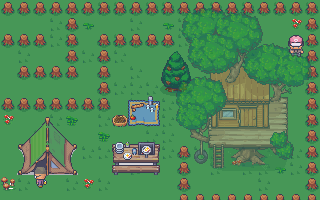
Visual level editor
Design your own levels – without any code.
With the built-in editor, levels can be intuitively assembled: tiles placed, items inserted, NPCs configured, and victory conditions set. Used assets and logic objects are automatically minimized so that instructions remain concise and clear.
Programming becomes an adventure.
Discover the world of code in a playful way with rpgDungeon() and see how interactive worlds come to life from your own ideas.
Try it for free
Start with CodeRoom and experience programming lessons in a new way.
rpgDungeon() combines creativity with logic, playfulness with learning goals, and visual experiences with real programming. Ideal for modern computer science classes that motivate, challenge, and promote – even without prior knowledge.