CodeRoom System Overview – Everything at a Glance
System Overview
A Digital Learning Ecosystem for Modern Computer Science Education
CodeRoom accompanies teachers and students: from the first programming example to complex projects. Everything runs directly in the browser, without installation, GDPR-compliant, and on any device.
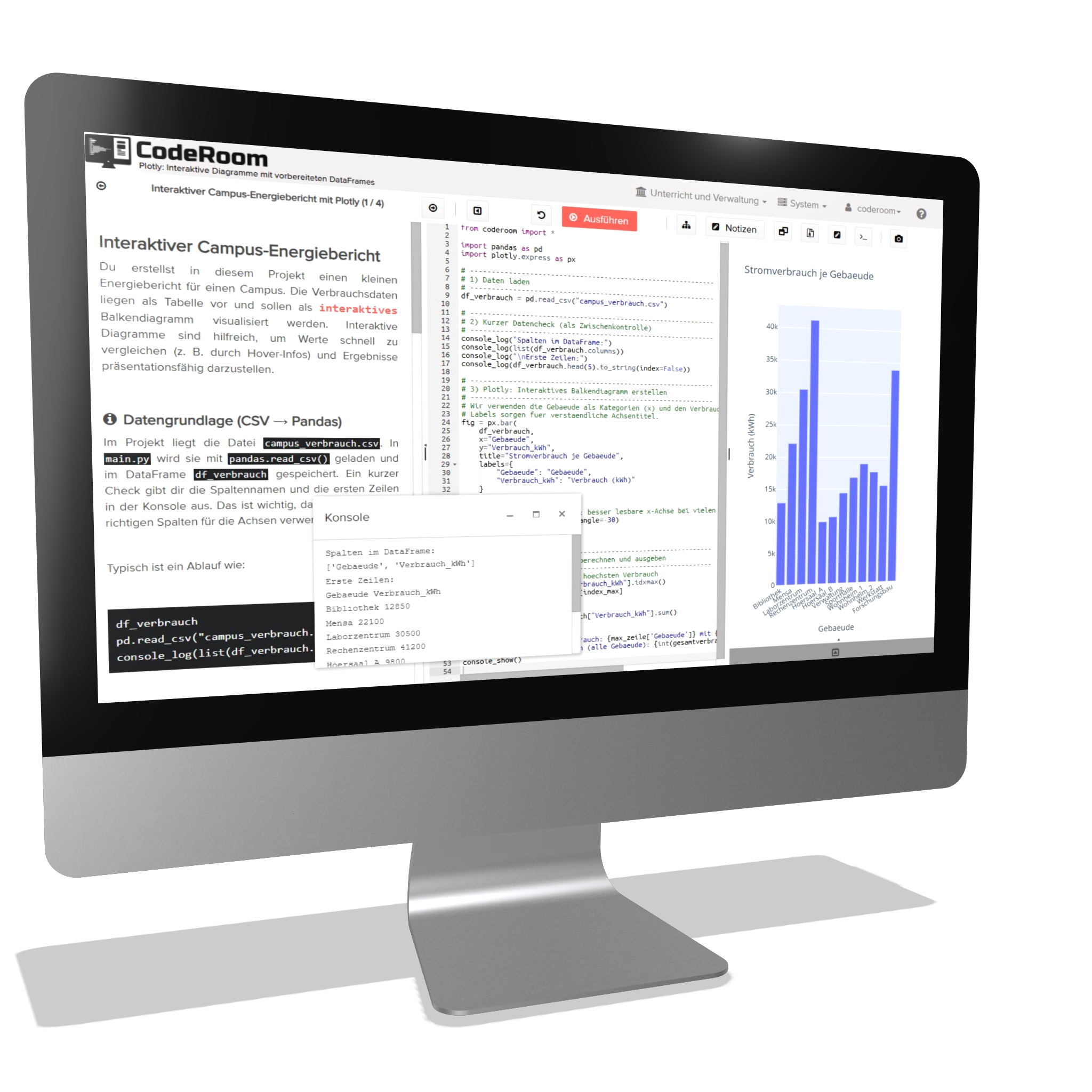
Everything Connected
More than an Editor
CodeRoom connects learning environment, AI support, course management, creative programming projects, and school organization in one system.
Learning
Guidance, editor, and result area work together seamlessly. Learners work concentrated at one place.
Support
AI assistance, error explanations, and code evaluations promote independent work and relieve teachers.
Organization
Courses, classes, access, progress, and data protection are centrally managed.
System Areas
The most important areas of CodeRoom
CodeRoom bundles learning environment, AI support, creative programming projects, and school organization into a cohesive system.
Learning Environment
Tutorial, editor, and result area on one screen.
View moreAI assistance
Questions about code, error analysis, and targeted feedback.
View moreAI coding
Code to change, expand, and verify in a transparent manner.
View moreAI mode / Prompting
AI as a subject of instruction in own prompting courses.
View moreContents with AI
Prepare and adapt teaching materials faster.
View moreUML Designer
Create models and connect them to executable code.
View morePygame
Implement graphical Python projects directly in the browser.
View moreframeCraft
Simplify didactic game and simulation development.
View more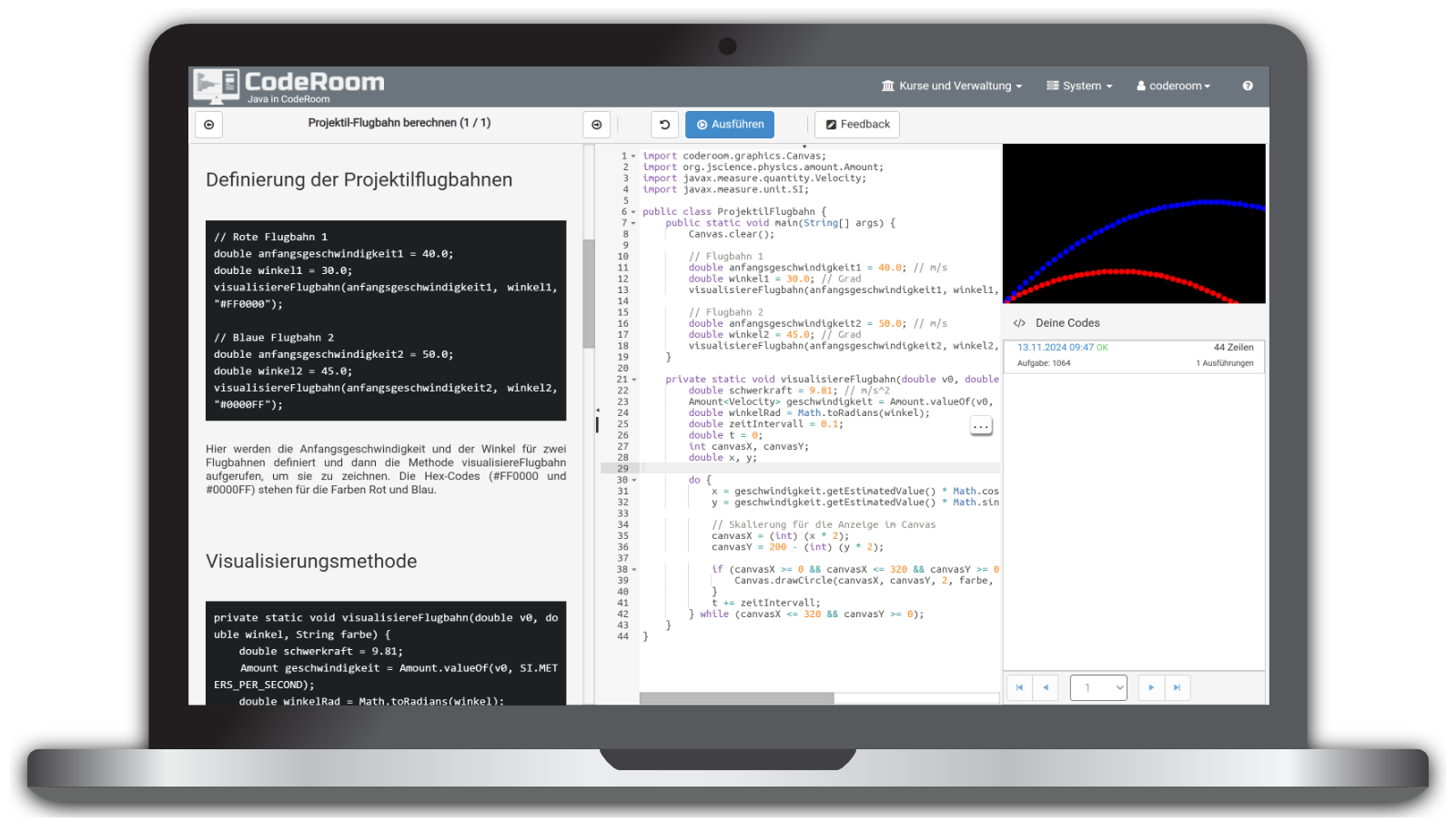
Learning environment
Tutorial, code, and result on one screen
Three areas form the core: tutorial, editor, and result. Students read, write, and test in one place.
The editor supports with syntax highlighting and error messages, while the result area immediately shows what works. This creates quick success experiences without distraction.
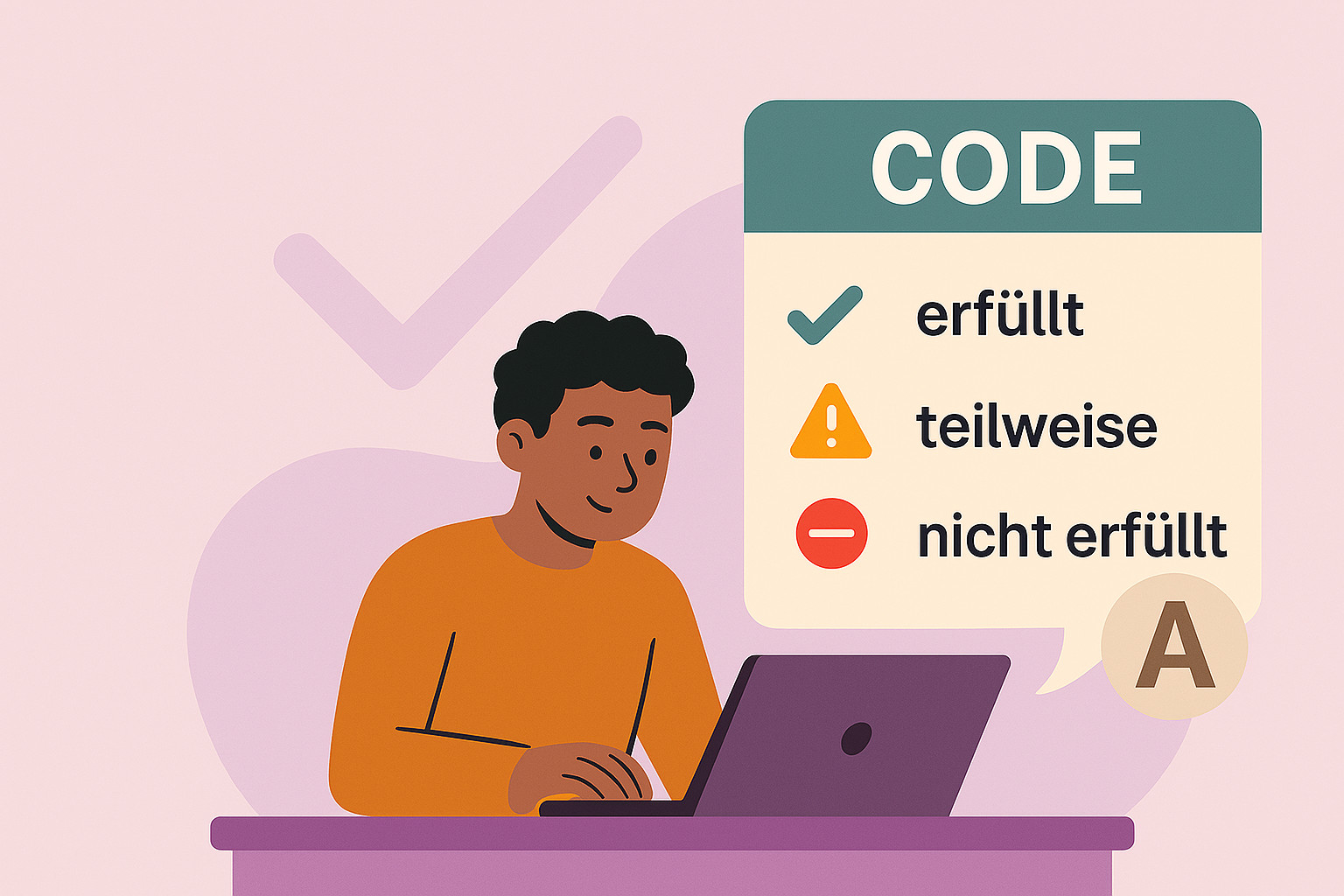
AI support
Understand errors instead of just seeing messages
The integrated AI explains problems in plain language and evaluates the code with regard to the task assignment.
Hints encourage thinking, teachers are relieved, and students' independence grows.
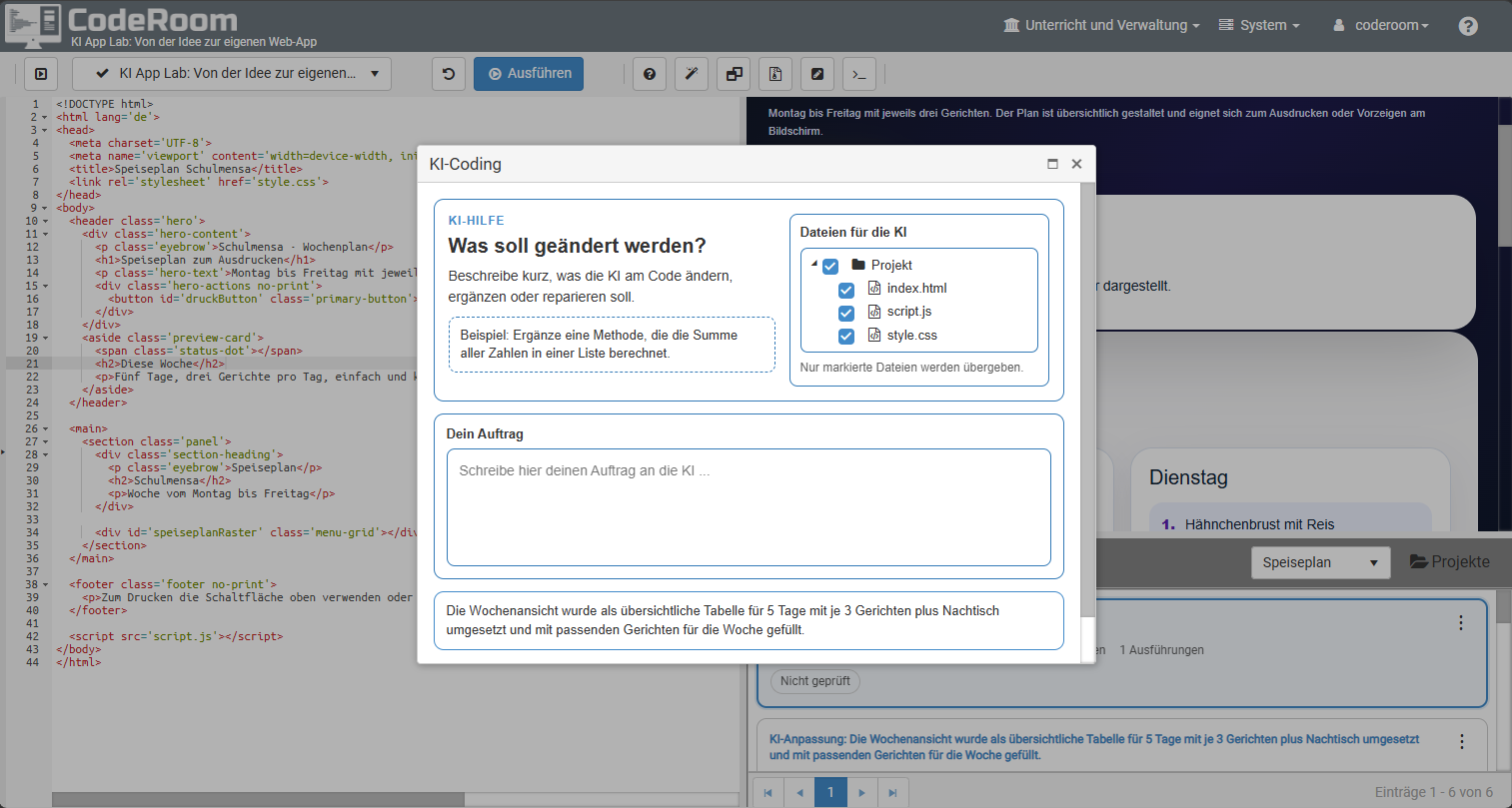
AI coding
Code is changed and made verifiable
KI-Coding changes code not as an external chat response, but directly in the working context of CodeRoom.
Teachers and students see which files were modified. The resulting code states are stored and can be compared with previous versions.
KI mode / Prompting
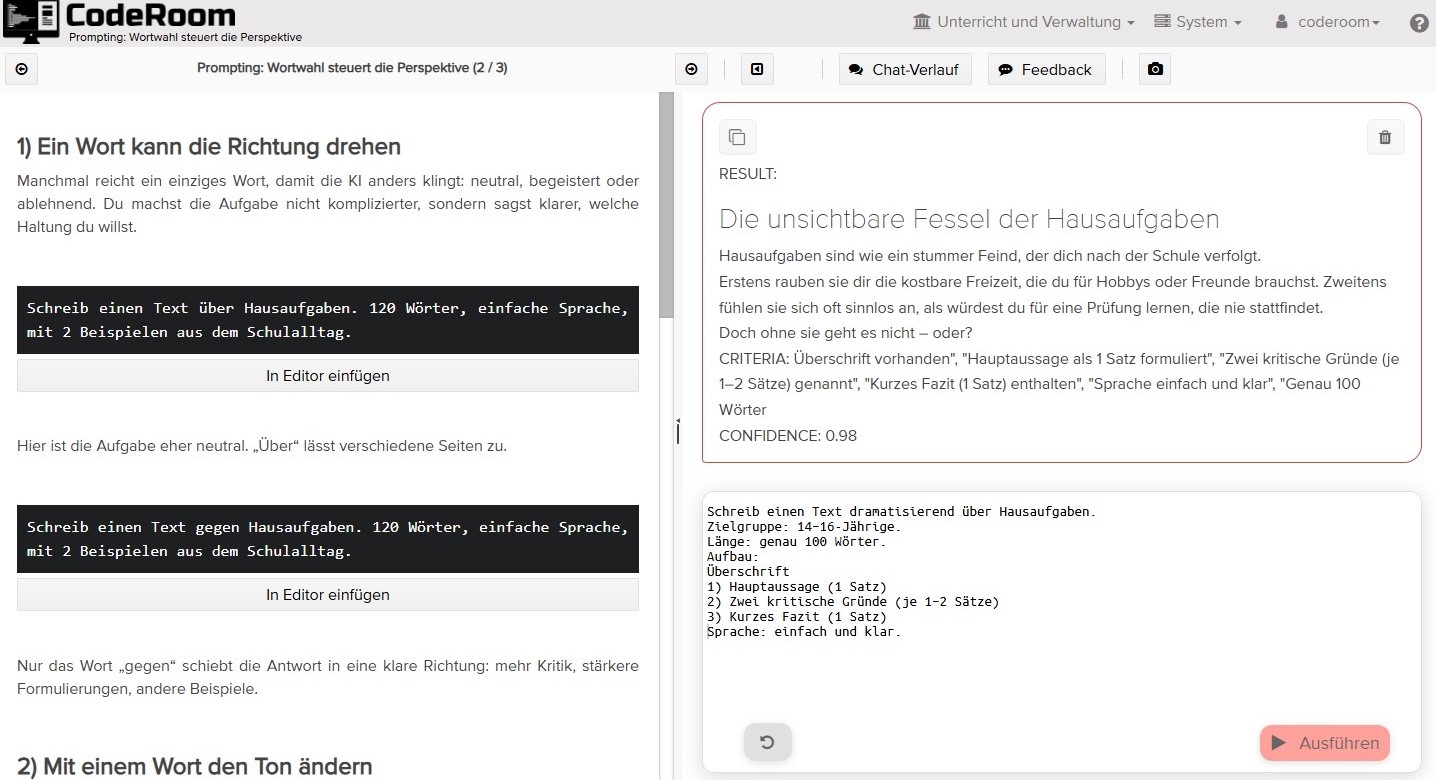
Treat KI as a subject of instruction
In addition to supporting programming, dealing with KI itself can become the learning content.
Prompting courses help to investigate AI responses, formulate prompts specifically, and evaluate results critically.
Motivation
Programming as an experience
With rpgDungeon(), programming becomes visible, playful, and creative. Students control characters through levels, collect objects, and solve tasks.
rpgDungeon(): Programming as an adventure
Instead of memorizing abstract commands, students design their own game worlds, test logic directly out, and experience programming as a visible result.
The visual level editor makes it easy to design. So logic connects with creativity.
Modeling
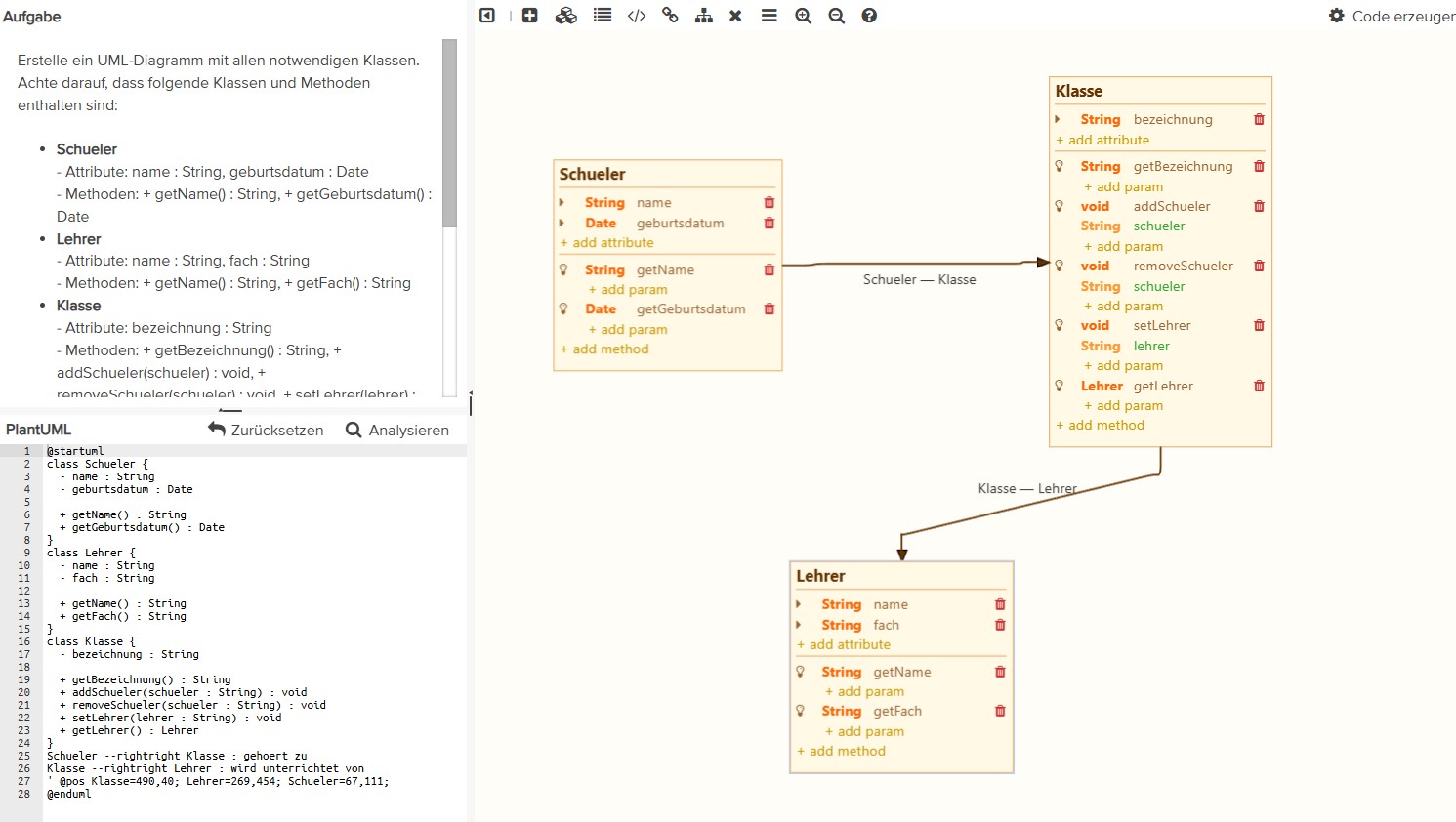
From UML model directly to executable code
Classes, attributes, and methods are created by drag & drop or in PlantUML. With a click, this becomes executable code in Python, Java, or Ruby.
So theory and practice directly come together – ideal for object-oriented programming and software modeling.
Teaching & Organization
More overview for teachers
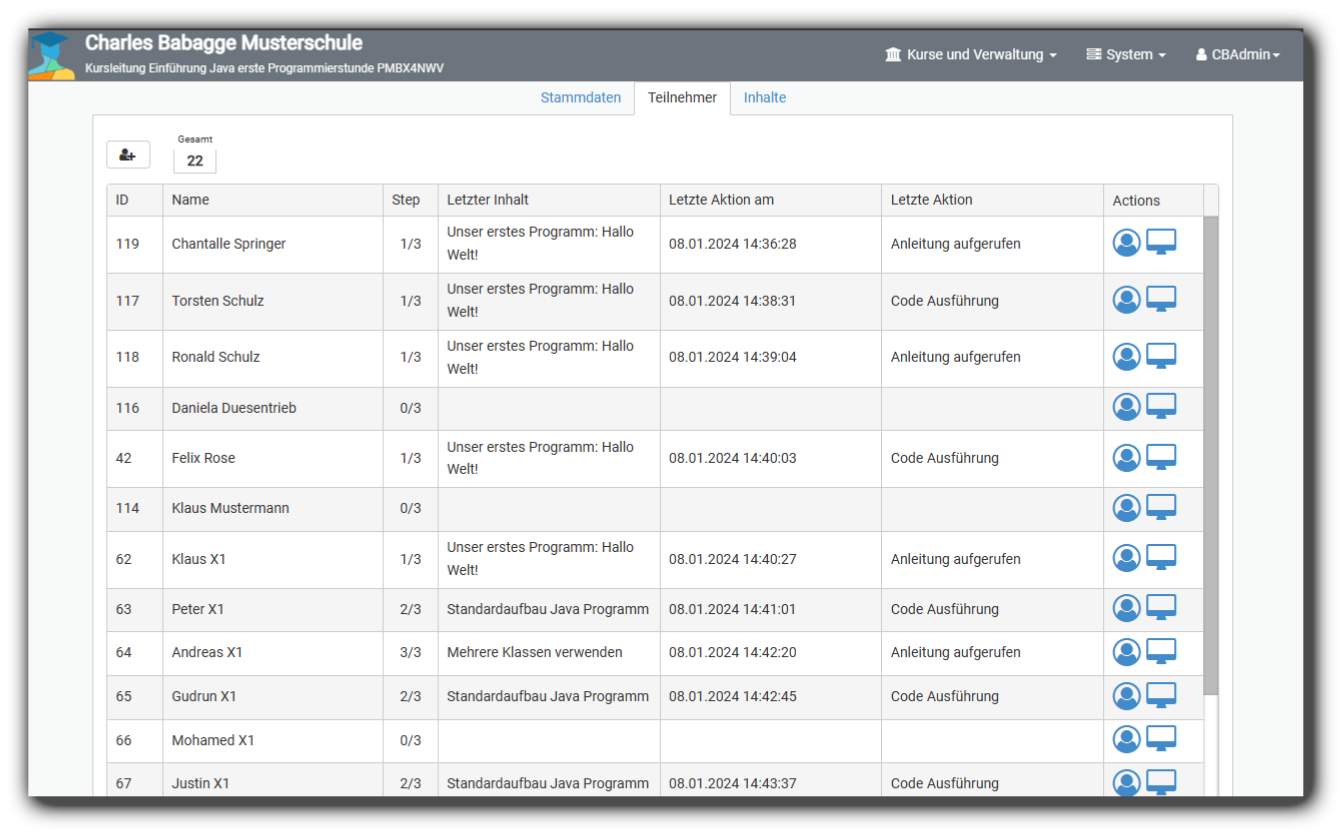
CodeRoom makes visible what the class is working on, which progress is made, and where support is needed.
Lesson control
Teachers can see in real-time what students are working on. Progress and difficulties become immediately visible.
Administration & Data Protection
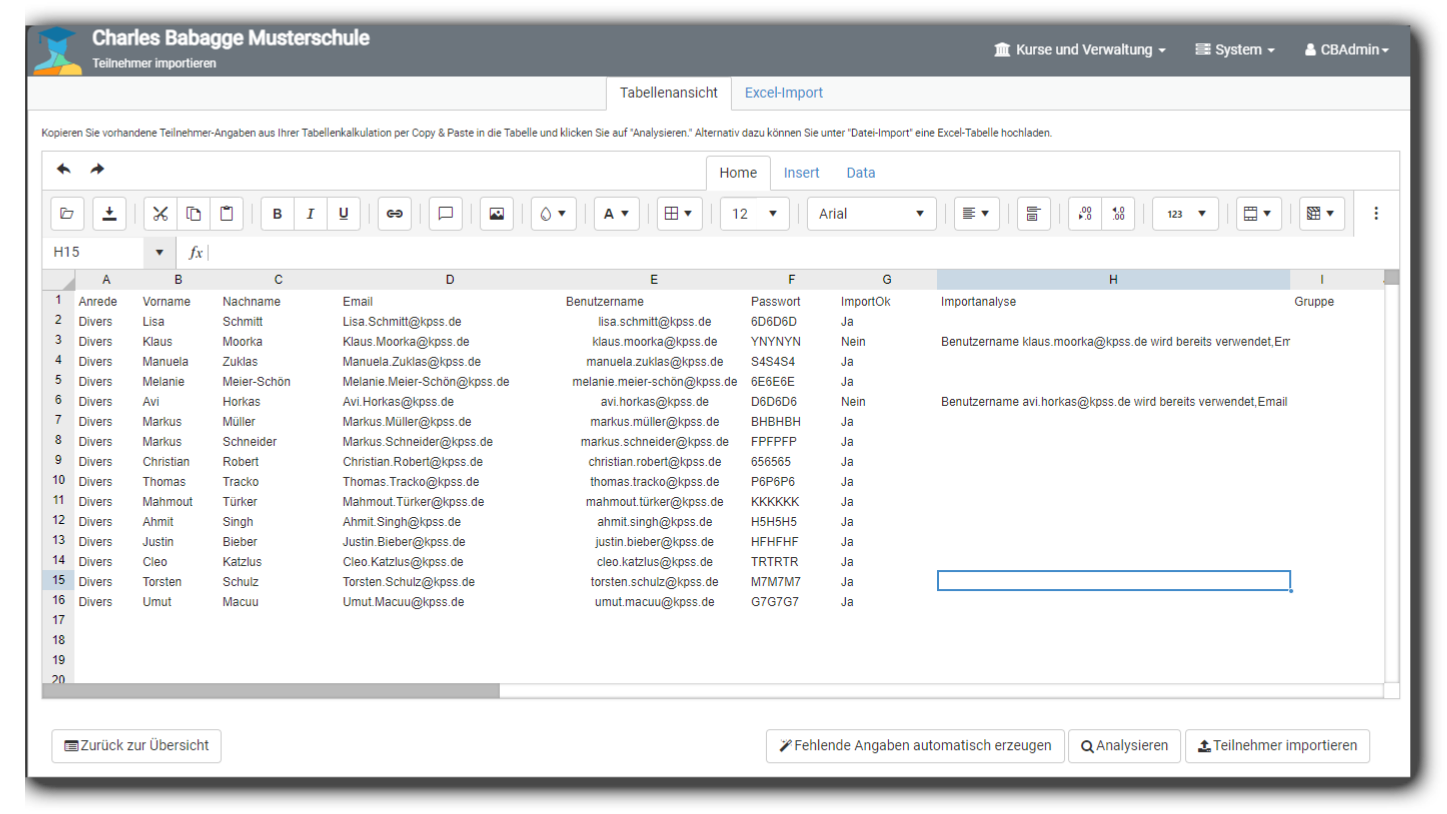
User accounts can be easily created or imported. Pseudonyms and secure passwords protect privacy.
White-Label Module
Schools and providers can use CodeRoom with their own logo, colors, and domain.
Create content with AI
Teachers can prepare, adapt, and structure teaching materials faster for different learning groups.
Live insight
Keep Progress and Solutions in Sight
In the detailed view, student solutions can be compared and evaluated. This ensures structure and a calm working atmosphere.
- Show Class Progress
- Recognize Difficulties Early On
- Compare Solutions Intentionally
- Support Individually
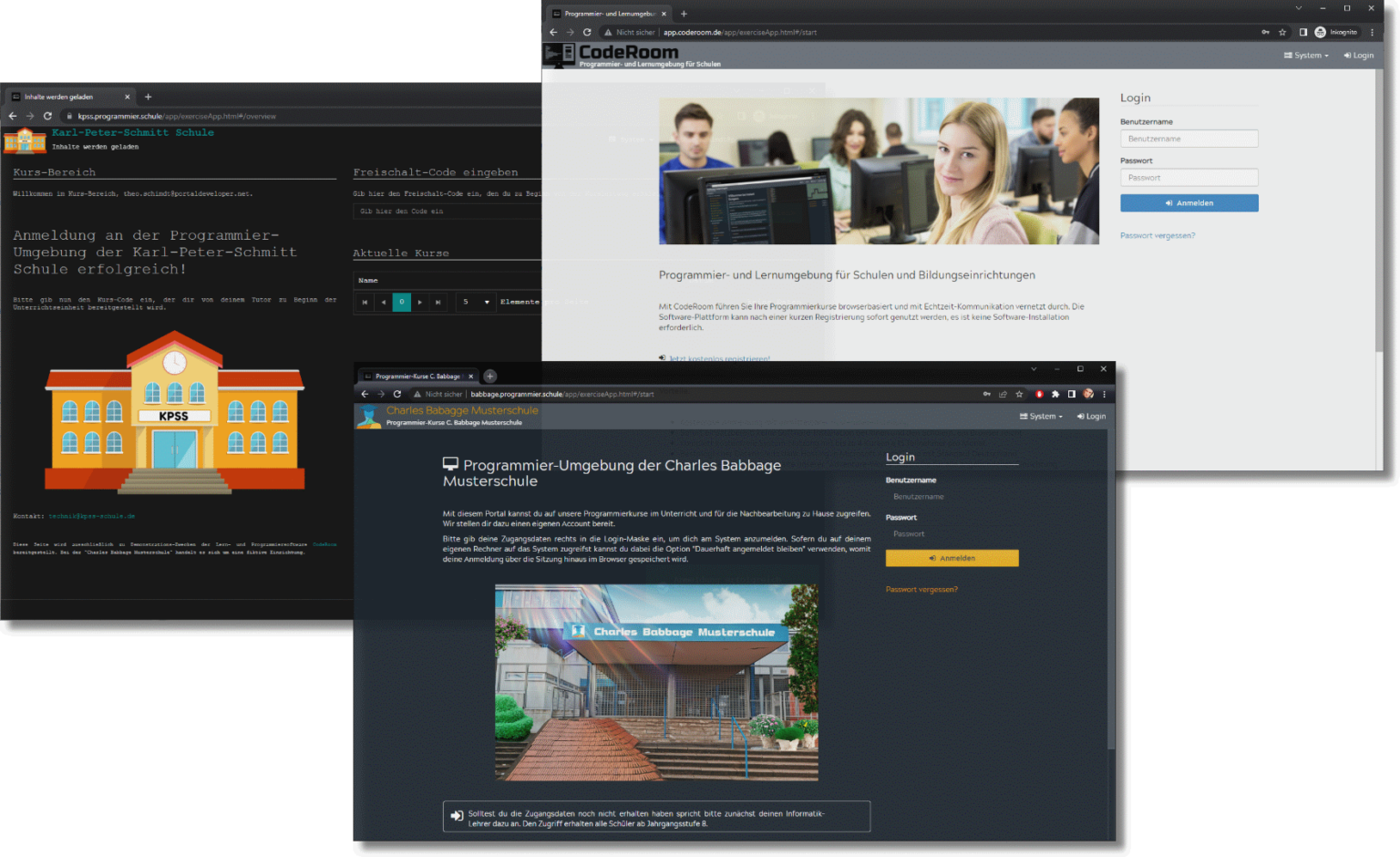
Individualization
CodeRoom in Your School or Institution's Design
Schools and institutions can use CodeRoom with their own design – including logo, colors, and even their own domain.
This way, the platform becomes part of the school's identity and seamlessly integrates into existing digital offerings.
Conclusion
A Platform for Motivating, Organized, and Secure Computer Science Education
CodeRoom is more than an editor. It's a platform that makes computer science education more structured, motivating, and secure – for teachers as well as students.