Unified Modeling Language Designer – Model, Understand, Program
UML Designer in CodeRoom
From class diagrams to program code.
Using the UML Designer, students and learners can visually model software structures, edit PlantUML text, and generate code for Python, Java, or Ruby.
Connecting modeling and programming
From idea to code
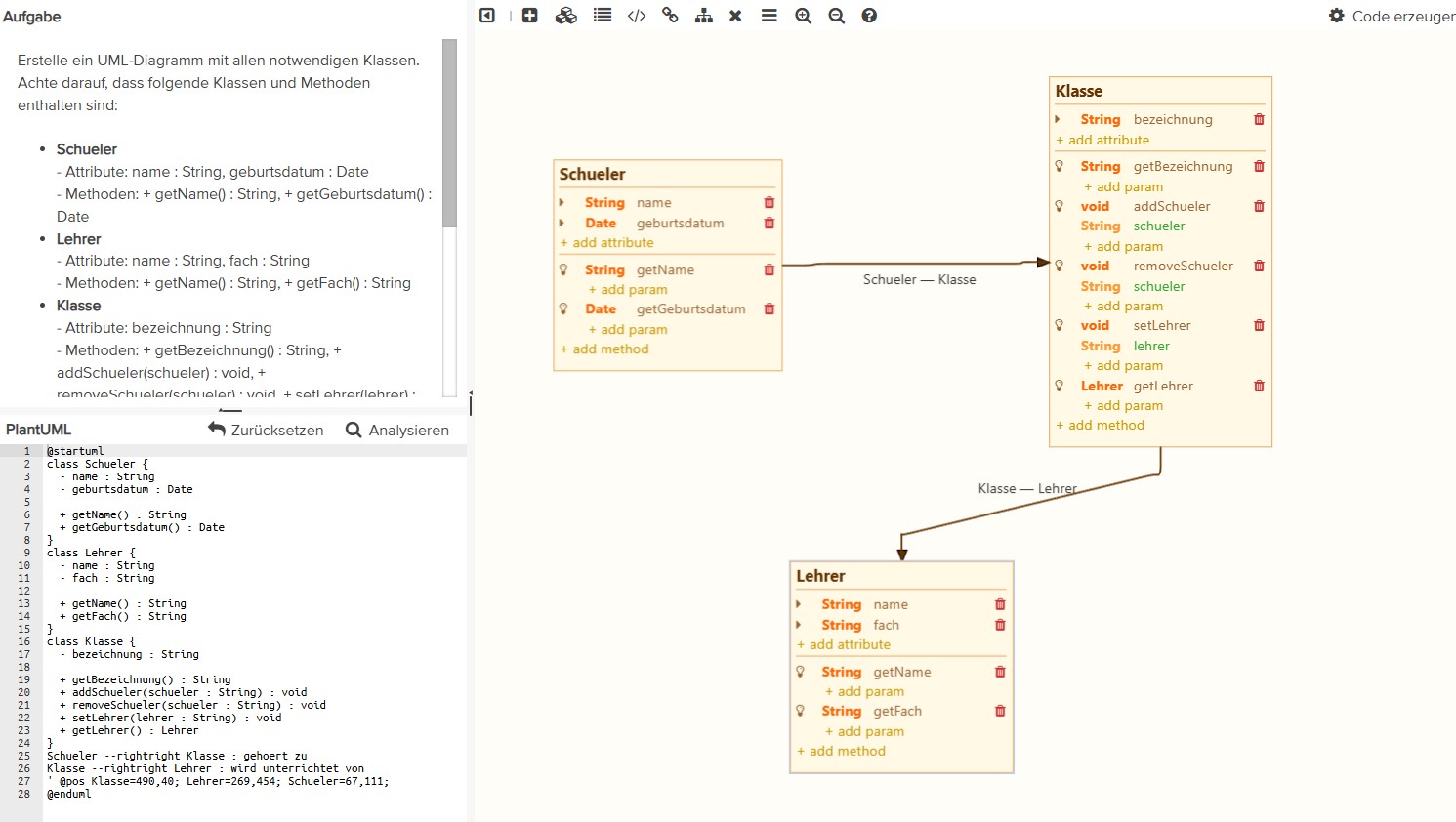
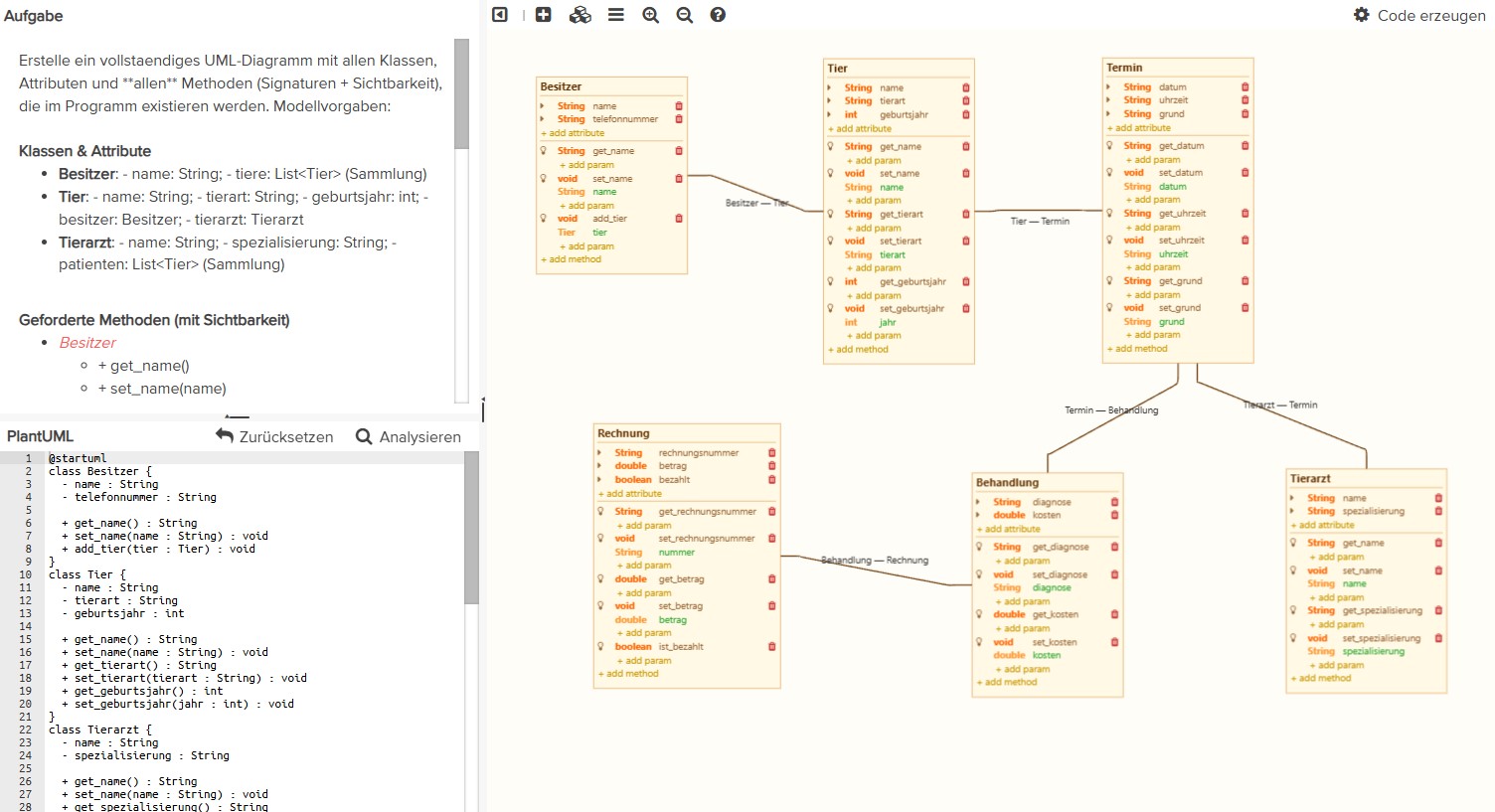
The UML Designer combines a visual editor with a PlantUML code window. Changes to the diagram update the text code – and vice versa.
Code can be generated from the completed diagram for Python 3, Ruby 3 or Java . This turns a model directly into an executable basis for teaching, exercise, or lecture.
- Visually model classes, attributes, and methods
- Represent inheritance, interfaces, and associations in a clear manner
- Learn PlantUML as a textual modeling form directly
- Create and execute code basis and expand in the next step
Target groups
A tool for schools and universities
The UML designer supports both the entry into object-oriented thinking and professional modeling in software engineering courses.
For schools
Students can structure classes, attributes, methods, and relationships visibly before implementing them. UML is no longer an abstract chalkboard image but an active working step in the programming process.
- Ideal for object-oriented programming
- Understand structures before writing code
- From diagram to executable start class
For universities
In lectures and exercises, software architecture can be demonstrated directly: diagrams are developed together, PlantUML is made understandable, and generated code can be tested immediately.
- Suitable for software engineering and OOP
- Live modeling in lectures and exercises
- Direct transition from design to implementation

University teaching
From model to code – use UML directly in the lecture
With the integrated UML designer, lecturers connect modeling and programming in a continuous learning environment. Class diagrams are not only discussed but created, changed, and converted into code.
- Create classes, attributes, methods, and relationships directly in the diagram
- Model simultaneously graphically and textually edit with PlantUML
- Generate executable code in Python, Java or Ruby from the diagram
- Test, extend and discuss generated code immediately
Core functions
UML becomes understandable, practical and directly usable.
The designer reduces the distance between design and implementation. Learners see how software structure is created and where it can be found in the code.
Visually model
Classes, attributes, methods, inheritance, interfaces and associations are presented and explained step by step in an overview.
Understand PlantUML
The diagram and text model remain connected. This way, students and learners learn that models can also be precisely described.
Generate code
An automatically generated code basis emerges from the diagram, which can then be extended in class or exercise.
Software architecture
Make structures visible before implementation details dominate.
Especially with object-oriented programming, it is essential to understand relationships, responsibilities and dependencies first. The UML designer makes this structure visible and creates a clear transition to implementation.
- Discuss class responsibilities better
- Explain relationships and dependencies in an illustrative way
- Connect architectural decisions with concrete code

Class discussions
Explaining relationships and dependencies in an understandable way
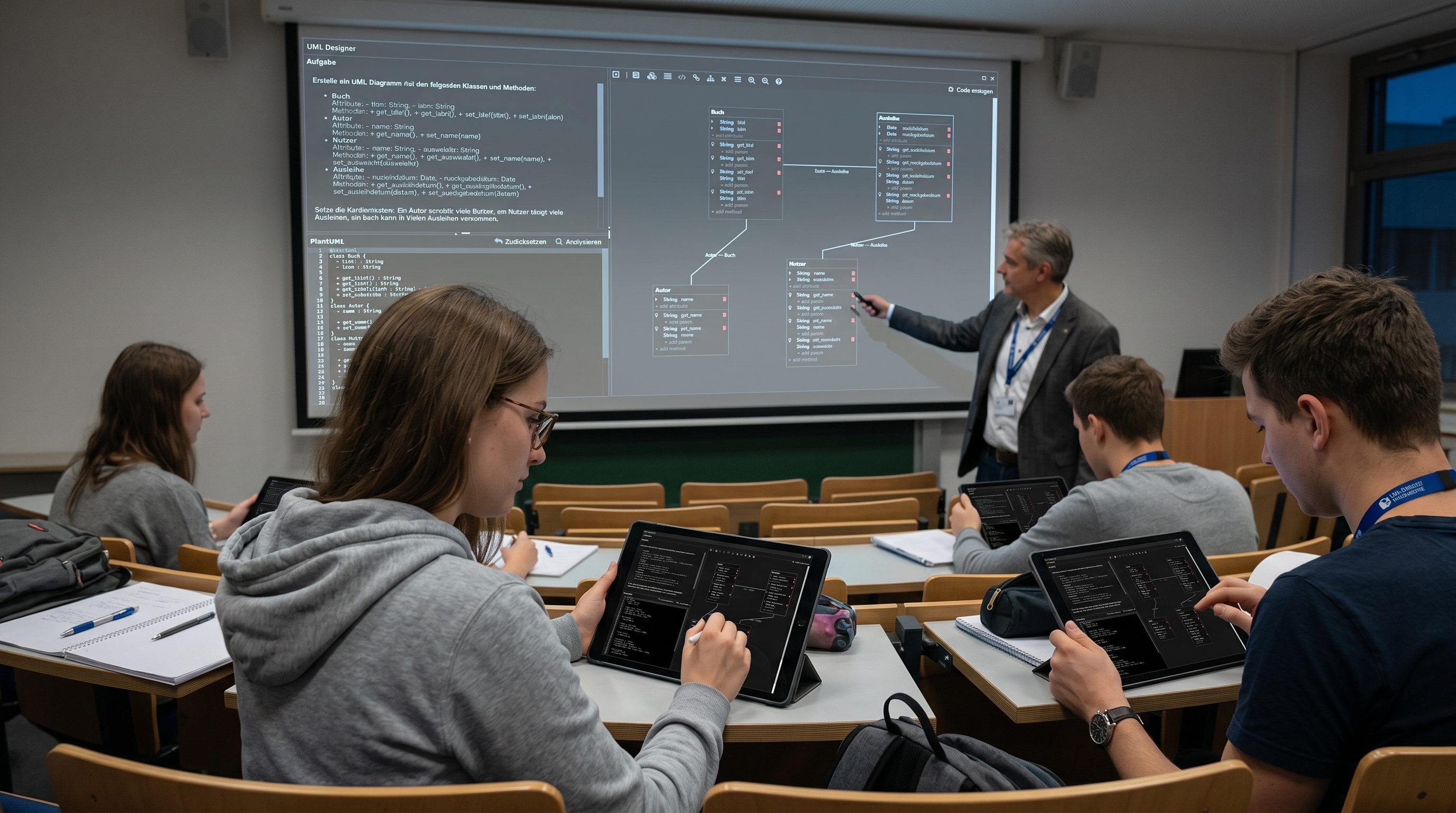
Teachers can prepare a start diagram, expand it together, and then generate code. Students work with a clear model as the starting point, not an empty development environment.
- Create tasks with a prepared start diagram
- Discussing model errors and design decisions together
- Use generated code as a basis for implementation tasks
Insights
UML in CodeRoom from multiple perspectives
Product view, university context, and architecture motivation show how the UML designer connects modeling and programming in a modern learning environment.
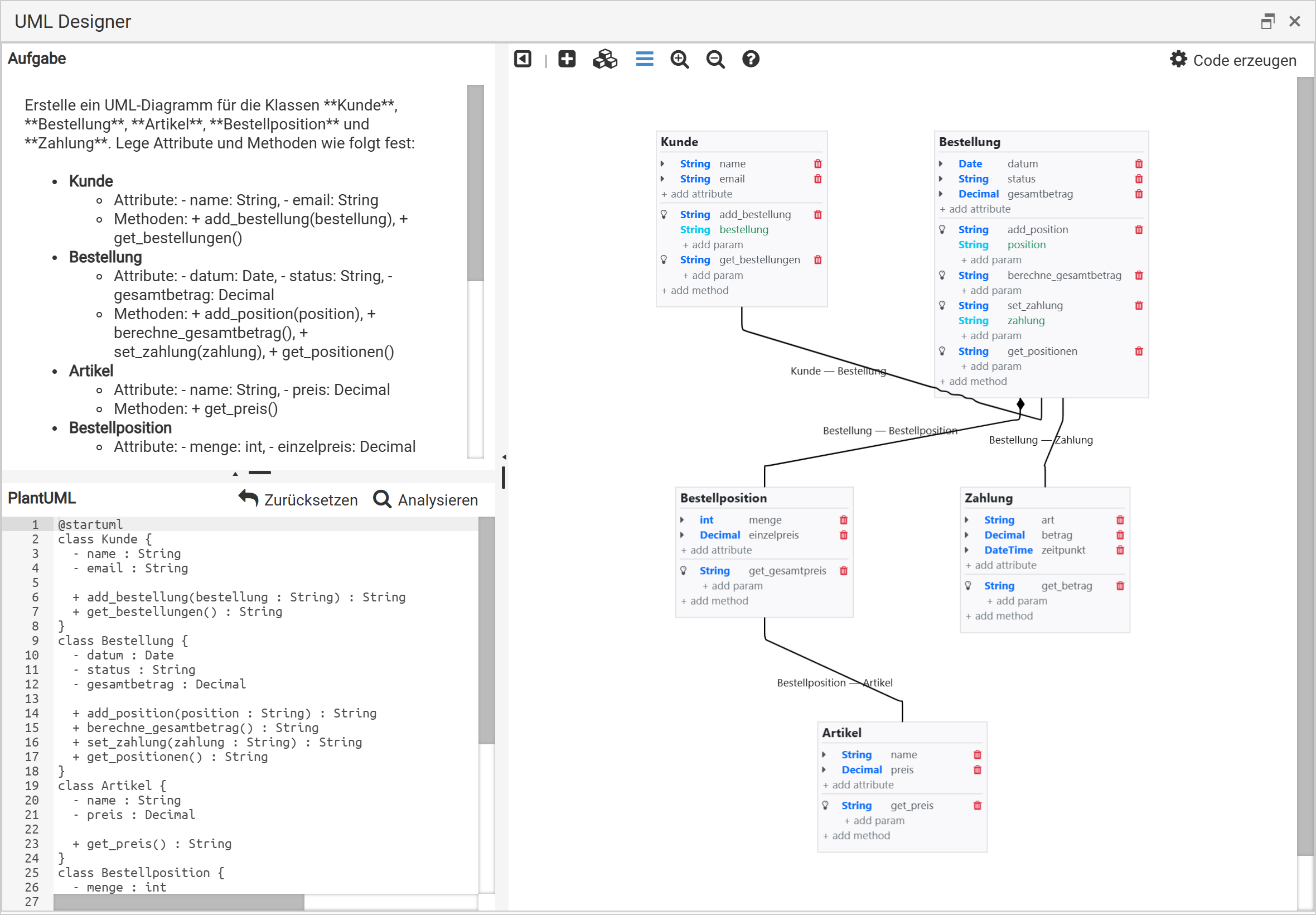
Product view: Class diagram, PlantUML, and code generation in CodeRoom.
Lecture: Develop models together and transfer them directly into program code.
Architecture: Understand classes, relationships, and code as a cohesive system.
Didactic workflow
A continuous process from design to implementation
CodeRoom supports a clear learning process: model first, then understand, generate code next, and finally extend it yourself.
1. Create a model
Classes, attributes, methods, and relationships are defined in the diagram or in PlantUML.
2. Understand structure
Learners recognize which objects have what responsibilities and how they work together.
3. Develop code
The generated code is executed, extended, and used as a basis for real programming tasks.
Teaching UML in practice – from the first class diagram to software architecture.
CodeRoom connects modeling and programming in an understandable working environment for schools, universities, and modern programming courses.